
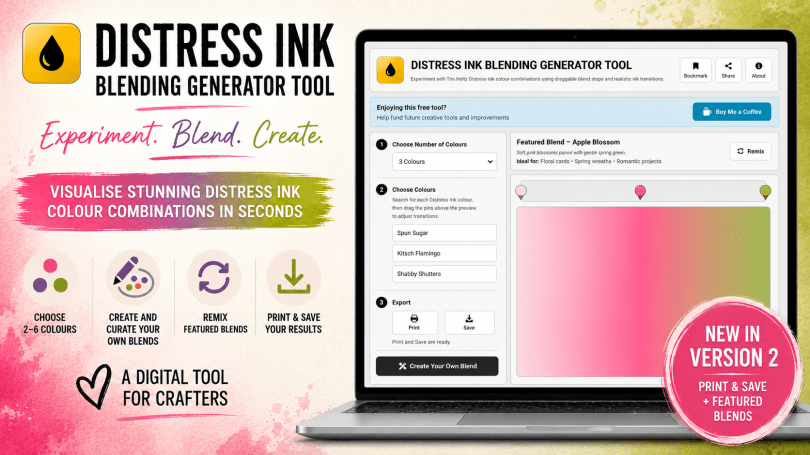
A few weeks ago I launched a brand new online tool to help you experiment with Tim Holtz Distress Inks before committing anything to paper. Well, thanks to lots of excitable user feedback and a whole bunch of tinkering behind the scenes – Version 2 of this incredible tool is now available for you to play with!
New features include an updated interface, suggested blends, and the option to Print and Save your blends!
I am so excited to share this update with you!
Now, I know that I am a little excited and want to share all of the updates with you, let me remind you what this tool is.
The online blending tool is a free-to-use website where you can select between 2 and 6 of the currently available 73 colours of Tim Holtz Distress Ink colours and immediately see what they will look like blended across the screen – no more wasted ink – try before you blend!
Neat, eh?!
Anyway, today sees the addition of some new features to this tool and a complete makeover – it was a bit dull for a creative tool!
Here is a breakdown of what is now available in Version 2.
Updated Interface
The biggest visual change for this version is the interface. The original was “Ok” and it worked, which was the point of Version 1. It was a proof of concept.
For Version 2 however I wanted to have a rejig and make things a little clearer and make better use of the space. So, here is the new layout compared to the old.
Version 1 was very grey and unexciting when you arrived. It almost said, “nothing to see here, move along please”. Well, with some magical wizardry, now when you arrive at the website, there is light! Well, at least a featured blend to spark your interest at least.


I think you get the point.
Now let me run your through the different bit and pieces that have been added and updated.
New! Reimagined Layout
Following feedback and various “gawping out of the window thoughtfully” sessions, I have put some spit and polish on the interface to make it flow better, be clearer and, more importantly, more fun to use!

Header Menu Options – 3 Handy options to help you remember where to find the tool, tell your friends about it and find out more about the site and recent updates.
Bookmark – This is a handy wee button that will let you add a bookmark to the site so you don’t have to remember the website address.
Share – Another handy button but this time, instead of helping you remember where the site is, it will let you share a link to the site with your chums.
About – This button contains a bunch of information about the tool. It will explain a bit more about the tool and the options available to you.

NEW! Featured Blends
For those “lost mojo” moments, I’ve preloaded the site with a bunch of curated blends too!
The blend window now has a featured blend section above it. This will load with a randomly curated range of blend suggestions each time you visit the site. It will populate the site with number of colours and colour names for a suggested blend that is loaded when you visit the site. Handy if you have lost your mojo and want some inspiration!

Support The Tool
This tool is free to use, now and always. The site isn’t free to update and maintain. So, if you fancy supporting me in my coding endeavours to maintain this tool and build even more creative tools in the future, please feel free to prod the “Buy Me A Coffee” button and then choose either the “Ko-Fi” or “Buy Me A Coffee” button and leave whatever support you want.

Tool Numbering
The tools for creating your own colour blends are now clearly numbered so that you can follow along logically.

Create Your Own Blend and NAME your own blend!
When creating your own blends in Version 1, not only could you not print or save them anywhere, you couldn’t add any text to them to help you curate your own library. Now you can! Before Printing or Saving your blend, make sure to name it, describe it and leave little bullet notes to remind yourself of the ideas you had when you created it!

Export Options – TWO brand spanking new export tools – Print and Save
Print – Sends a print ready pre-formatted sheet to your printer or PDF printer. Print these and build yourself a library of blends that you can refer to over and over!
Save – Creates a pre-formatted PNG version of your blend, complete with colour names that you can save to your hard drive, USB stick or share on social media!
Share – Coming soon!

Here is an example of a blend that has been printed to PDF.

Here is an example of a blend that has been saved as a PNG image.

Your Privacy Matters
This tool works entirely in your browser. This tool is designed to work without accounts, advertising or behavioural tracking. You don’t need to create an account, and the site does not track how you use the application.
New Facebook Community
As part of the support and community aspect of this tool, you can now share your favourite custom blends and physical makes using those blends with others playing with this tool too!
You can find us here … https://www.facebook.com/groups/inkblendingandmore
Anyway, that’s a lot, isn’t it?! Don’t worry, now that I have the coding bug, there will be LOTS more, lol! ;)
If you’d like to have a fiddle yourself, just jab the button below and I will whisk you over to the wee online applet and you can have a go yourself!
I really hope that you like this tool and would like to ask you a small favour. Before you go, if you think of a way this tool could be updated and improved, I’d love to have your feedback below this post.
My head is already a whirl with update ideas like,
- Realism overlays including oxide effects, water spatter effects, textures etc.
- More realistic blends taking into account ink bleed and paper texture.
- Expanding it into other brands and colour ranges.
But seriously, what do you think? Do you like it? Will you use it?
Share the love!
If you find this post fun, entertaining or useful, please do consider sharing it to your fave social platform using the handy buttons below.
Also, if you are feeling flush, a coffee wouldn’t go amiss! *cheeky wink.


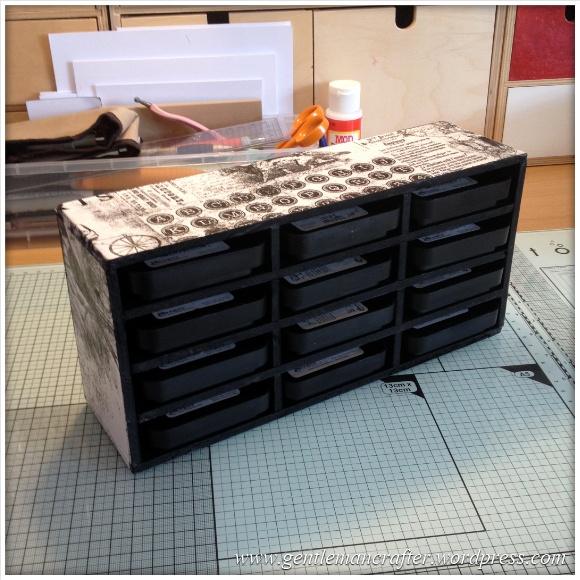
Anyway, in the meantime, it’s not the first time I have made tools to help with this range either. If you are looking for a storage solution, please do check out this blog post from way back in 2014!
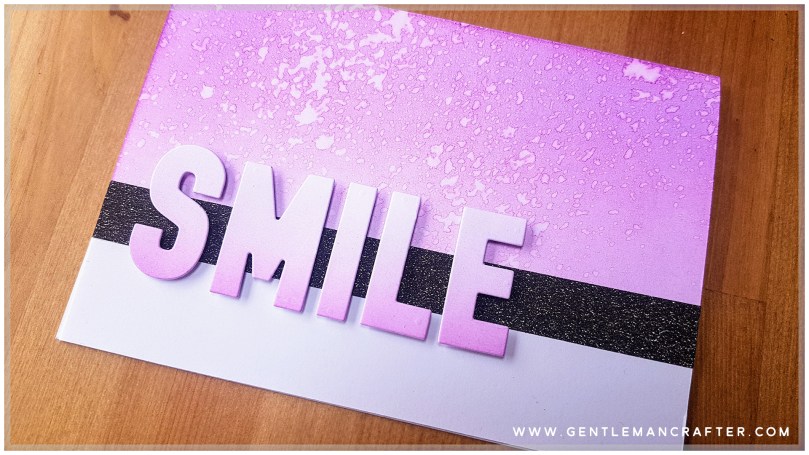
While you are in this rabbit hole, please also check out these other awesome makes that I created back in the day featuring Tim Holtz Distress Inkpads – there’s loads!


Ok, that’s it for this post. I hope that you have enjoyed your time here today and will subscribe to my email newsletter so that you can hear about future posts.
If have not already done so, please feel free to pop your email address in the box below and I will add you to the list (you can unsubscribe at anytime in the future if I bore you with too many).
In the meantime, thanks for stopping by and I look forward to seeing you next time!
Much love,
John.


Brilliant John, thank you for always creating and sharing. An awesome tool to add to the crafting aresenal xx
LikeLiked by 1 person
Thank you for the kind words and support Hazel. :)
LikeLike