
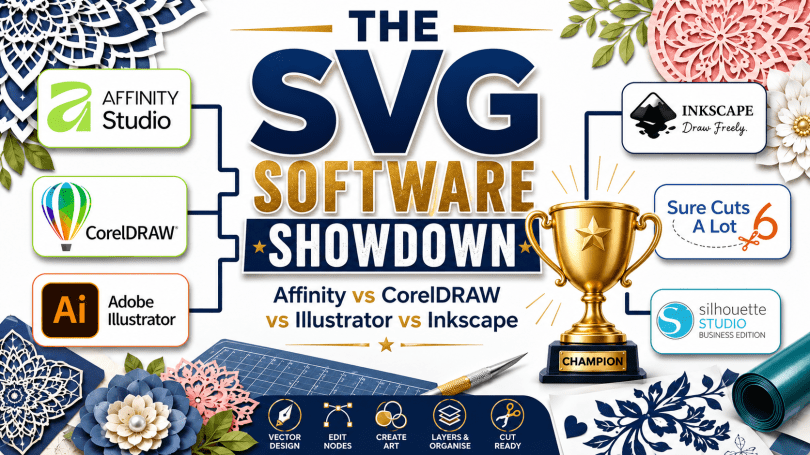
If you’ve spent any time in crafting groups, you’ll have seen the same question come up time and time again: “What’s the best software for creating SVG files?”
The answer is rarely as straightforward as people hope.
One person recommends Adobe Illustrator. Another swears by CorelDRAW. Somebody else insists that Sure Cuts A Lot is all you’ll ever need. Then someone jumps in to say that Inkscape is free and does everything.
So who’s right … ?
The truth is that many of these applications were built for completely different purposes. Comparing them purely on price or popularity doesn’t tell the whole story.
For this comparison, I’ve focused on one specific task:
Creating SVG cut files.
Not photo editing.
Not graphic design for print.
Not social media graphics.
Simply creating clean, accurate SVG files for cutting machines, laser cutters, plotters and digital crafting projects.
The Contenders
For this comparison I’ve selected six of the most commonly discussed programs among crafters and SVG designers:
- Affinity Designer
- CorelDRAW
- Adobe Illustrator
- Inkscape
- Sure Cuts A Lot 6
- Silhouette Studio Business Edition
Each has its strengths. Each has its weaknesses.
And some aren’t even competing in the same category.
The SVG Toolset Comparison
Here is a ridiculously HUGE list of features across each of the six design suites. To skip this and get to more of me waffling on about stuff, you can skip to the Overall Scores.
| SVG Creation Feature | Affinity Designer | CorelDRAW | Adobe Illustrator | Inkscape | Sure Cuts A Lot 6 | Silhouette Studio Business |
|---|---|---|---|---|---|---|
| SVG Import | ✓ | ✓ | ✓ | ✓ | ✓ | ✓ |
| SVG Export | ✓ | ✓ | ✓ | ✓ | ✓ | ✓ |
| Native SVG Workflow | ✓ | ✓ | ✓ | ✓ | ✓ | ✓ |
| Basic Shape Tools | ✓ | ✓ | ✓ | ✓ | ✓ | ✓ |
| Pen / Bezier Tool | ✓ | ✓ | ✓ | ✓ | ✓ | ✓ |
| Pencil / Freehand Tool | ✓ | ✓ | ✓ | ✓ | ✓ | ✓ |
| Advanced Node Editing | ✓ | ✓ | ✓ | ✓ | ✓ | Limited |
| Shape Builder Tool | ✓ | ✓ | ✓ | ✗ | ✗ | ✗ |
| Boolean Operations (Union/Subtract/Intersect) | ✓ | ✓ | ✓ | ✓ | ✓ | ✓ |
| Live Boolean Editing | ✓ | ✓ | ✓ | ✗ | ✗ | ✗ |
| Offset Path | ✓ | ✓ | ✓ | ✓ | ✓ | ✓ |
| Contour Tool | ✓ | ✓ | Limited | ✗ | ✗ | ✗ |
| Corner Editing Tools | ✓ | ✓ | ✓ | Limited | ✗ | ✗ |
| Variable Width Strokes | ✓ | ✓ | ✓ | Limited | ✗ | ✗ |
| Pressure Sensitive Strokes | ✓ | ✓ | ✓ | Limited | ✗ | ✗ |
| Pattern Creation Tools | ✓ | ✓ | ✓ | Limited | ✗ | ✗ |
| Symbols / Asset Libraries | ✓ | ✓ | ✓ | Limited | ✗ | ✗ |
| Custom Brushes | ✓ | ✓ | ✓ | ✓ | ✗ | ✗ |
| Artistic Brushes | ✓ | ✓ | ✓ | ✓ | ✗ | ✗ |
| Layers | ✓ | ✓ | ✓ | ✓ | ✓ | ✓ |
| Layer Effects | ✓ | ✓ | ✓ | Limited | ✗ | Limited |
| Artboards | ✓ | ✓ | ✓ | ✓ | Limited | Limited |
| Multi-Page Documents | ✓ | ✓ | ✓ | ✗ | ✓ | ✓ |
| Alignment Tools | ✓ | ✓ | ✓ | ✓ | ✓ | ✓ |
| Distribution Tools | ✓ | ✓ | ✓ | ✓ | Limited | Limited |
| Grid Support | ✓ | ✓ | ✓ | ✓ | ✓ | ✓ |
| Snap to Grid | ✓ | ✓ | ✓ | ✓ | ✓ | ✓ |
| Snap to Objects | ✓ | ✓ | ✓ | ✓ | ✓ | Limited |
| Guides & Rulers | ✓ | ✓ | ✓ | ✓ | ✓ | ✓ |
| Precise Measurement Controls | ✓ | ✓ | ✓ | ✓ | ✓ | ✓ |
| Text Tool | ✓ | ✓ | ✓ | ✓ | ✓ | ✓ |
| Text on Path | ✓ | ✓ | ✓ | ✓ | ✓ | ✓ |
| Convert Text to Curves | ✓ | ✓ | ✓ | ✓ | ✓ | ✓ |
| Envelope Distortion | ✓ | ✓ | ✓ | Limited | ✗ | ✗ |
| Perspective Tools | ✓ | ✓ | ✓ | ✗ | ✗ | ✗ |
| Blend Tool | ✓ | ✓ | ✓ | ✓ | ✗ | ✗ |
| Power Duplicate / Step & Repeat | ✓ | ✓ | ✓ | Limited | ✗ | Limited |
| Image Trace | ✓ | ✓ | ✓ | ✓ | ✓ | ✓ |
| Bitmap Editing | Basic | Strong | Moderate | Limited | ✗ | ✗ |
| Colour Management | ✓ | ✓ | ✓ | Limited | ✗ | ✗ |
| CMYK Support | ✓ | ✓ | ✓ | Limited | ✗ | ✗ |
| Spot Colour Support | ✓ | ✓ | ✓ | ✗ | ✗ | ✗ |
| Automation / Macros | Limited | ✓ | ✓ | ✓ | Limited | ✗ |
| Scripting Support | ✗ | ✓ | ✓ | ✓ | ✗ | ✗ |
| Plugin Ecosystem | Small | Moderate | Large | Large | Small | Small |
| Rhinestone Tools | ✗ | Limited | Limited | Limited | ✓ | Limited |
| Weeding Tools | ✗ | ✗ | ✗ | ✗ | ✓ | ✓ |
| Tiling / Panel Splitting | Limited | Limited | Limited | Limited | ✓ | ✓ |
| Nesting Tools | ✗ | Limited | Limited | Limited | Limited | Limited |
| Direct Cutting Workflow | Limited | Limited | Limited | Limited | ✓ | ✓ |
| Designed Primarily for SVG Creation | ✓ | ✓ | ✓ | ✓ | ✗ | ✗ |
| Designed Primarily for Cutting | ✗ | ✗ | ✗ | ✗ | ✓ | ✓ |
Overall Scores
| Software | SVG Toolset | Ease of Learning | Value for Money | Total (/30) |
|---|---|---|---|---|
| Affinity Designer | 9 | 9 | 10 | 28 |
| Inkscape | 8 | 7 | 10 | 25 |
| Sure Cuts A Lot 6 | 7 | 8 | 8 | 23 |
| Silhouette Studio Business | 6 | 8 | 8 | 22 |
| CorelDRAW | 10 | 6 | 5 | 21 |
| Adobe Illustrator | 10 | 5 | 4 | 19 |
When you compare the actual SVG-related features rather than simply looking at the software name, an interesting pattern emerges.
Best for Professional Vector Design
These applications were designed primarily for creating vector artwork.
- Affinity Designer
- CorelDRAW
- Adobe Illustrator
Their strengths include:
- Advanced node editing
- Professional drawing tools
- Shape builders
- Live boolean operations
- Advanced text controls
- Symbols and asset libraries
- Powerful automation options
In other words, they’re designed to help you create artwork from scratch.
SVG export is simply one of many outputs.
Best General SVG Editor
Inkscape sits in an interesting middle ground.
It lacks some of the premium workflow tools found in CorelDRAW and Illustrator, but it remains one of the most capable SVG editors available.
The biggest advantage?
It’s completely free.
For many users, that alone makes it one of the strongest contenders on this list.
Best Cutting Machine Focused Software
Sure Cuts A Lot 6 and Silhouette Studio Business Edition approach the problem differently.
These applications focus on preparing designs for cutting.
As a result, they often include features such as:
- Tiling
- Weeding tools
- Cutting layouts
- Rhinestone design tools
- Machine-focused workflows
What they generally don’t include is the same depth of vector editing found in the professional design suites.
That’s not necessarily a weakness.
It’s simply a different design philosophy.
SVG Toolset Scores
| Software | SVG Toolset Score |
|---|---|
| CorelDRAW | 10/10 |
| Adobe Illustrator | 10/10 |
| Affinity Designer | 9/10 |
| Inkscape | 8/10 |
| Sure Cuts A Lot 6 | 7/10 |
| Silhouette Studio Business Edition | 6/10 |
If raw capability is your only concern, CorelDRAW and Illustrator still sit at the top of the pile.
However, capability isn’t everything.
Ease of Learning
One factor often overlooked in software comparisons is how long it takes to become productive.
You can own the most powerful software in the world, but if it takes six months to learn, that matters.
| Software | Ease of Learning |
|---|---|
| Affinity Designer | 9/10 |
| Sure Cuts A Lot 6 | 8/10 |
| Silhouette Studio Business Edition | 8/10 |
| Inkscape | 7/10 |
| CorelDRAW | 6/10 |
| Adobe Illustrator | 5/10 |
This is where Affinity Designer shines.
It delivers much of the power of the traditional professional packages while remaining approachable for hobbyists and small business owners.
Value for Money
Price is another factor that cannot be ignored.
| Software | Value Score |
|---|---|
| Inkscape | 10/10 |
| Affinity Designer | 10/10 |
| Sure Cuts A Lot 6 | 8/10 |
| Silhouette Studio Business Edition | 8/10 |
| CorelDRAW | 5/10 |
| Adobe Illustrator | 4/10 |
This doesn’t mean CorelDRAW or Illustrator are poor products.
Far from it.
But when your goal is simply to create SVG files, it’s fair to ask whether you’re actually using enough of their feature sets to justify the cost.
So Which One Is Best?
The answer depends entirely on what you’re trying to achieve.
Choose Affinity Designer if…
You want the best balance of power, ease of use and value.
Choose CorelDRAW if…
You want one of the most capable vector design environments available and don’t mind paying for it.
Choose Adobe Illustrator if…
You’re already invested in the Adobe ecosystem or require industry-standard compatibility.
Choose Inkscape if…
You want a powerful SVG editor without spending a penny.
Choose Sure Cuts A Lot 6 if…
Your focus is cutting workflows rather than advanced vector design.
Choose Silhouette Studio Business Edition if…
You prefer a craft-focused environment and want a gentle learning curve.
Final Thoughts
Perhaps the biggest surprise from this comparison is that there isn’t a single “best” SVG program.
Instead, there are three distinct categories:
- Professional vector design suites.
- General-purpose SVG editors.
- Cutting-focused applications.
Understanding which category you need is often more important than choosing a specific program.
The best software isn’t necessarily the one with the most features.
It’s the one that helps you create the SVG files you need quickly, efficiently and without getting in your way.
And for many crafters in 2026, that may be the most important feature of all.
Share the love!
If you find this post fun, entertaining or useful, please do consider sharing it to your fave social platform using the handy buttons below.
Also, if you are feeling flush, a coffee wouldn’t go amiss! *cheeky wink.


More Useful Scan N Cut Stuff
If you found this information useful, you may also like to check out these other resources …
My dedicated Scan N Cut Tutorials YouTube channel, by playlist.
- Scan N Cut Tutorials (CM Models) Playlist
- Scan N Cut Tutorials (SDX Models) Playlist
- Canvas Workspace (for PC) Playlist
- Canvas Workspace (for Web) Playlist
- Canvas Workspace (for Mobile) Playlist
Please remember to like, subscribe and for notifications of future videos, hit the bell notification icon too!
Facebook Group
If you’d like to join a growing group of Scan N Cut enthusiasts then please do come and join Gentleman Crafter’s Scan N Cut Facebook Group at https://www.facebook.com/groups/gentlemancrafters.scanncut.group/
SVG Cutting Files
Want access to a growing library of ready-to-cut projects including layered frames, creative card bases and fun 3D projects? Then please do come and check out my Patreon page at https://www.patreon.com/GentlemanCrafterUK
More Blog Posts!
I have a stack of posts on this blog featuring tips, tricks and tutorials so please do have a dive into the archives – thank me later!

Ok, that’s it for this post. I hope that you have enjoyed your time here today and will subscribe to my email newsletter so that you can hear about future posts.
If have not already done so, please feel free to pop your email address in the box below and I will add you to the list (you can unsubscribe at anytime in the future if I bore you with too many).
In the meantime, thanks for stopping by and I look forward to seeing you next time!
Much love,
John.


An very thorough comparison, thank you. When you discuss Affinity Designer though, is that still relevant now they have combined all their software with Canva?
LikeLiked by 1 person
Affinity Designer is essentially Affinity Studio so yes, still very relevant.
LikeLike