

Ever wondered how to create calligraphy using your Scan N Cut but don’t want to buy the official calligraphy kit?
Here’s how …
This “hack” has been around in different forms (and on my to-try list) for a while now but recently I had a little time to play whilst waiting for the cement on a brick wall to dry, no, seriously. I am doing bricklaying in the garden … don’t ask how it’s going, lol!
Anyway, with the official calligraphy kit coming in at anywhere between £48 (sale price seen at the time of writing this post) and £75 (checked today), it is definitely a tug on the purse strings.
The official kit also doesn’t work with CM models.
This “hack” offers you the option to do something similar on ANY CM or SDX model of the Scan N Cut for less (depending on your choices) – and get some pretty decent results too!
Here is a quick look at some of the results that I got with some pens that were only a couple of quid.
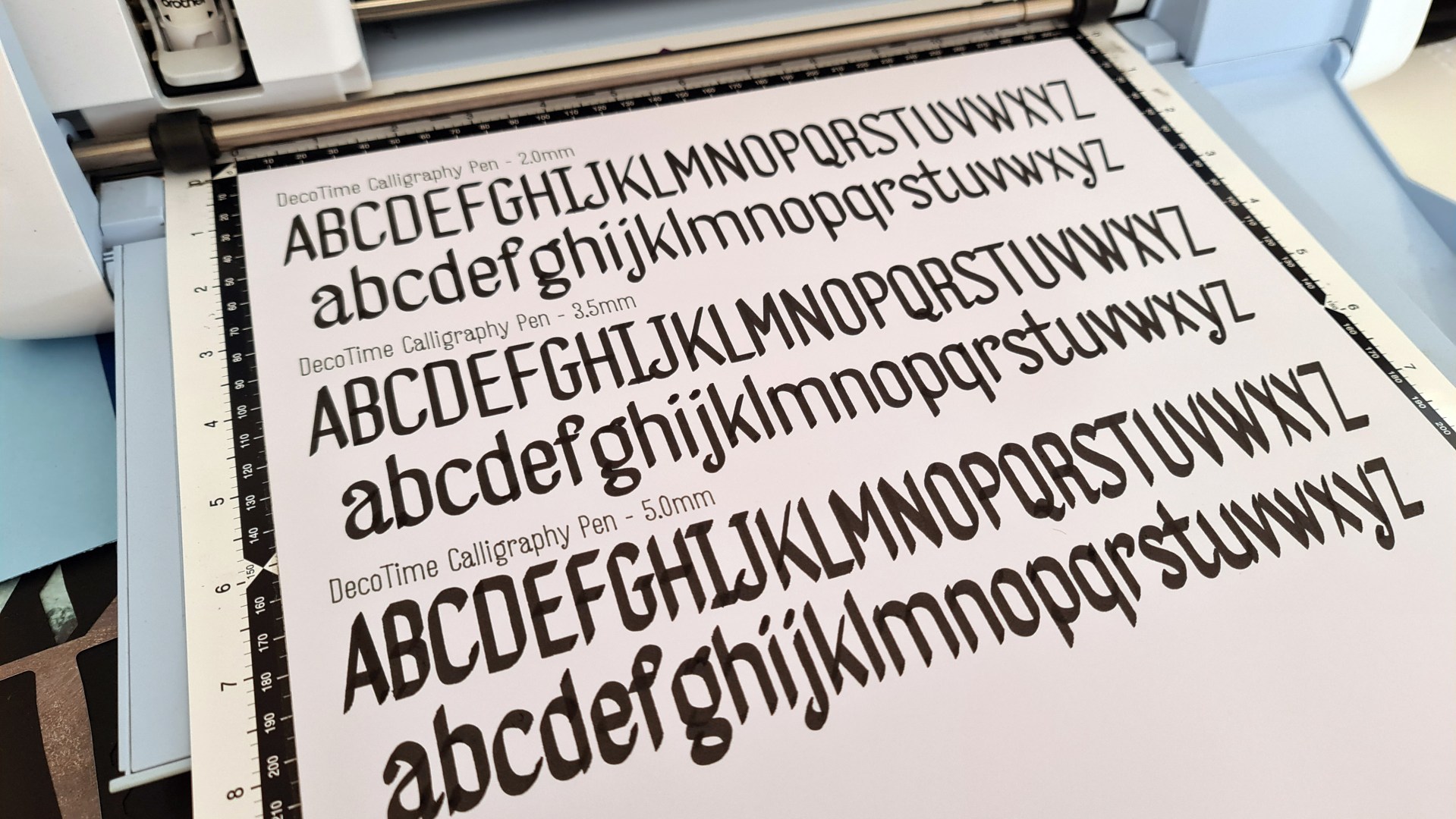
Impressive, don’t you think?
There are a few tools you will need to achieve calligraphy writing with your Scan N Cut, these are …
- Pens – Flat ended chisel tipped.
- A Pen Holder – That will fit the chosen pen.
- A Font – Single line ONLY (not hair line or true type as these will double-back on themselves).
- Software to take the single line font and make it workable with the SNC.
Pens
When it comes to the pens, the price isn’t really the key factor. Instead you want to look for a flat ended chisel tip – not angled as you normally see calligraphy pens – flat, chisel tip. Other than that, as long as they fit in one of the universal pen holders (official or unofficial) you are good to go.
For those wondering, the pens used in the video were…
- DecoTime Calligraphy Pens (3 Pack) – I got this from The Range for £2 (but they were in a clearance bin so not sure if they will still be available).
- CalliCreative DuoTip Markers (20 Pack) – Got these from The Range too for £8
- CalliCreative Italic Markers (12 Pack) – Again, from The Range, this set was £10.99
Pen Holder
For the pen holder, you could choose from …
- Small Barrel Universal Pen Holder from Brother
- Universal Pen Adaptor for Scan N Cut from 3D FunPrintz (not sure how long these will be around so make sure to grab one soon).
Font
Single line fonts are now growing rapidly but there are some that stand apart from others. They also range in price – I chose “Farmers Market” from Single Line Fonts because it’s simple letterforms and clean lines really lend themselves to italic/calligraphic writing with a machine.
If you have never worked with single line fonts and the Scan N Cut before, you might like to check out this post & video from the archive Scan N Cut Saturday – Single Line Fonts, What Are They, Where To Find Them and How Do I Use Them?
Software
To complete this “hack” you will also need a little piece of software from FontLab Pad (don’t worry, it’s free) to create the SVG lines that you will then import into Canvas Workspace for PC.
Savings
Did I mention that this “hack” will save you money? Well, unless you bought loads of pens like I did, it will.
It is possible that you could achieve calligraphy lettering with your Scan N Cut for under £20 (based on the cost of small barrel universal adaptor from Brother and some pens).
Shut Up John and Get On With It
Anyway, back to the point, there are pros and cons to any “hack” and I’ll cover those in the video that I am about to share with you. Once you’ve had a good old watch, please feel free to pop any questions, thoughts, suggestions or comments about this “hack”, below the video on YouTube – and I will do my best to get back to you asap.
Ok, popcorn at the ready?
(Oh, and PS, please don’t forget to subscribe to the channel while you are there).
That’s about it for this one.
If you have any questions or thoughts about the content of this post, please feel free to pop them in the comments section below. I look forward to hearing from you.
Many thanks for stopping by and hope to see you again soon!
Bye for now.
John.
There are literally hundreds more posts in the archives so please do check out the suggested posts at the bottom of this page or visit one of the category archives below or check out the related posts section at the end of this post.
 GENTLEMAN CRAFTER
Hi John, thanks for the video. Excellent explanation as always. Can I ask, do you always need to use Fontlab with Single Line Fonts? E.g. I have some from Creative Fabrica and I was wondering if I could use these direct in Canvas Workspace like I do at the moment for ‘normal’ text.
LikeLike
What format are the fonts you have?
LikeLike
They are OTF Single Line Fonts.
LikeLike
Well, you won’t be able to use otf fonts directly in Canvas Workspace but if you have ttf (true type font) versions of the font, you will be able to use them in CW for ‘normal’ text. The sets from Single Line Fonts come with a variety of formats covering all uses. With otf fonts, you will need to use something else to create svg files for Canvas Workspace.
LikeLike
Thanks John. I always download the OTF version of all my fonts (not sure why I switched from TTF but it must have been something I read 🤣) and they appear to work fine in Canvas Workspace. I will download the TTF version for any single line fonts in the future.
LikeLiked by 1 person
OK.
LikeLike