
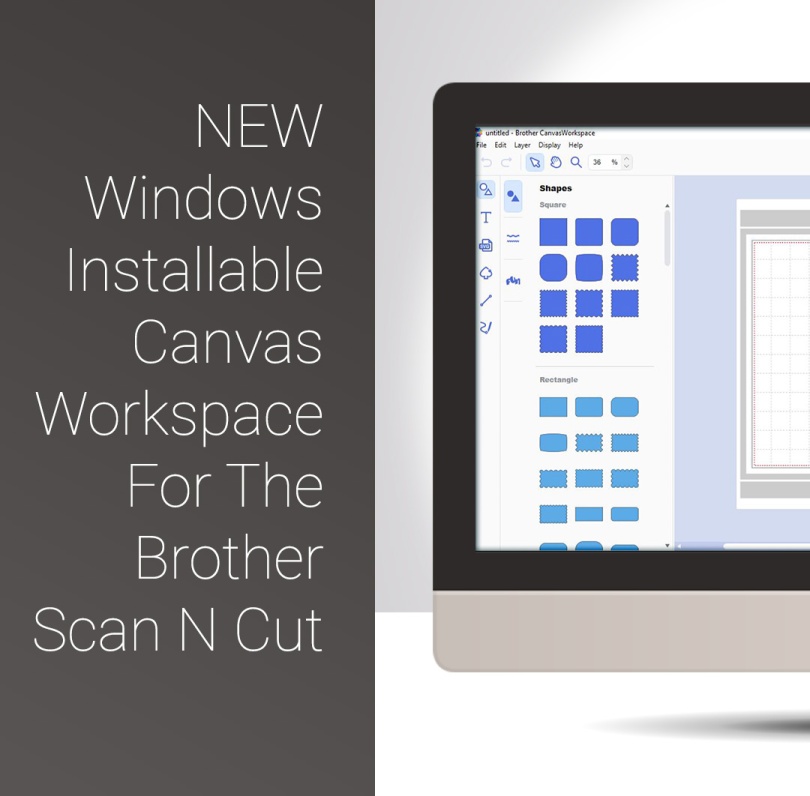
Well, quite excited about a couple of things today as Brother have released a Windows Installable Version of their Canvas Workspace and have also added a couple of useful extras to that version too.
Last night I went through the whole process of finding it, downloading, installing and taking a look around and also remembered to record that event so, if you’re interested and you’ve got a brew I will happily share that with you.
Before I do though, let me list here my three FAVE things about this installable versions.
- We can now use all fonts from our computer DIRECTLY IN Canvas Workspace AND they are editable too!
- We can now Snap to grid AND align on X and Y Axis – perfect for designing!
- Layers panel – this allows us to quickly reorder and change the draw/cut function for any particular layer!
Also, if you would like to get hold of a Scan N Cut machine, or any of the accessories, why not pop over to Create & Craft TV’s website to check out the full range of goodies.
Ok, pre-amble rambled, here is my exploration – as it happened!
So, anyway, hope you enjoyed that and that you can see the benefits of the update too.
 GENTLEMAN CRAFTER
Great video Thanks John
LikeLike
Thank you John. I guess we have to transfer all our cloud based projects onto our PC version if we want to use them in the future. It will be time to do some weeding !!!
LikeLiked by 1 person
I have emailed to find out if there is an easier way.
LikeLike
Thank you john for sharing your you tube video going to download it know many thanks
LikeLike
I installed it and used it tonight with no prior info. I have to admit I liked the older version where I could view my projects, etc. I’m not sure I like this new version yet.
LikeLiked by 1 person
Hi John thank you, it looks amazing I haven’t had time to try it as yet but I like what I see.
Look fforward to seeing your next video tutorial xxx
LikeLike
Hi John it looks amazing, looking forward to your next video thank you
LikeLike
Hi John, many thanks for your help in downloading the new Canvas, however I have downloaded and when the application opens It just keep saying launching and doesn’t open. I am running windows7 and selected this option, I have tried uninstalling and re-installing but just the same. If you could give any advice I would really appreciate it
Regards
Wendy x
LikeLike
Hi Wendy. I have received other comments from Windows 7 despite it being said that it works with that version of the OS. I would suggest contacting Brother support team via the link on the Canvas web page as I am not equipped to provide technical support. If I hear anything I will post it on here. :)
LikeLike
Many thanks John I will contact them, If I get any info I will let you know, thanks again :)
LikeLiked by 1 person
Thanks John – I looked at this yesterday but I couldn’t find this and that – e.g. weld. Having a look at it with you has made a world of difference. Thank you.
LikeLike
Ive never used canvas before or designed anything of my own to download to my machine…so I found this quick look very valuable. I will download it to my pc and look forward to your future tutorials on the subject of canvas John. I find your teaching style very clear, simple and easy to follow and thank you so much John for taking the time to show us in layman’s terms and explaining the jargon to someone who isn’t very good on tech things…brilliant!
LikeLiked by 1 person
Thanks for this very interesting & informative tutorial. Very much appreciated & will download it in the next day or two & give it a go. Love the thought of having so many fonts to use!!!
Many thanks again.
Happy crafting!
LikeLiked by 1 person
Interesting I especially like the idea of having all of my fonts to hand I think it will save me time in loading up complete alphabets as a project and trying to manipulate them etc
LikeLiked by 1 person
Thanks for this John. I’m off to install it on my pc now. Like Phylliselias, I’d like to know how to access my own projects on this, is it just a case of opening them from your pc documents?
LikeLiked by 1 person
Thanks so much, again, John, for a very useful guide. I have installed the new version on the Chrome internet, and kept the older version on the IE version (have them both on my PC, as something works better on one than the other). The new version doesn’t seem to have my own projects on it though, so is there a way I can access them on the new version?
LikeLiked by 1 person
I agree with Doreen, hope the Mac version does not take long. Thanks for all the help.
LikeLiked by 1 person
Great tutorial John I installed it yesterday but was baffled so had to go back to online version to make my card so this us a great help thank you and looking forward to more.
Nancyd xx
LikeLiked by 2 people
Thanks for this. I have teo machines so dont know which version to download. Any help please?
LikeLike
There is only one version available to download. It makes no difference which machine you have or how many you have.
LikeLike
Always grateful for the information and the know how.
LikeLiked by 1 person
Thank you John for an informing and interesting workshop today. I came home with renewed interest and confidence to restart my relationship with my Scan n Cut!!…Great stuff Thanks again…. Anni
LikeLiked by 1 person
A pleasure Anni. Glad you enjoyed it :)
LikeLike
Great work John, thank you for let us see on your YouTube channel what and how to do.
LikeLiked by 1 person
Thank you John, I’m not tech savvy and still have lots to learn and you help so much – you’re the reason I have a scan n cut x
LikeLiked by 1 person
Thanks for all the info, John. Much appreciated. Liz X
LikeLiked by 1 person
Thank you John :)
LikeLiked by 1 person
Thank you for this John. I’m sure your ongoing tutorials will make things much clearer for us and how fantastic we can use our installed fonts. Amazing ! Looking forward to using it. Take care x
LikeLiked by 1 person
Hope Mac version comes soon
LikeLiked by 1 person
It has made it much easier to use, I never did get on with it very well online. As for having every font you have on the computer to use, that’s a very handy feature. xx
LikeLiked by 1 person