

Another quick video tutorial for you Brother Scan N Cut owners in this post.
This time around I will show you how to create silhouette aperture cards in under ten minutes!
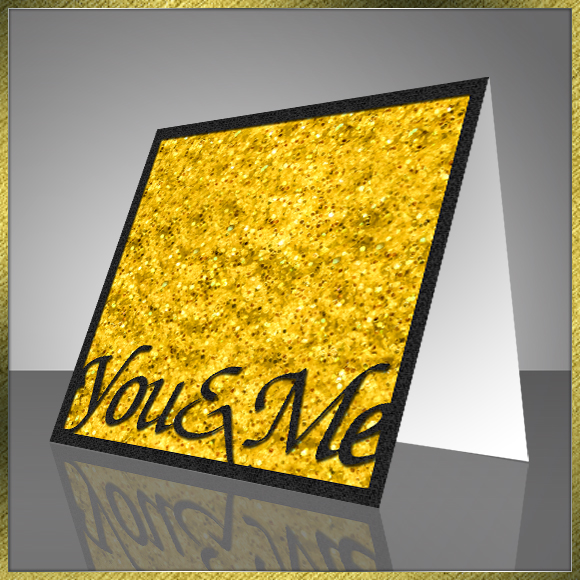
They are really quick and simple to do and you can make a batch of them in one go if you fancy it.
Here’s how.
Many thanks for taking the time to watch.
As ever, if you have any questions or comments regarding this post then please feel free to use the comments section at the bottom of this page.
See you again soon.
J :)
 GENTLEMAN CRAFTER
Hi,
I need help! Please? Trying to follow along and learn from your Making Silhouette Aperture Cards video and just running into trouble. I get as far as the inside square cut out, but on your video the rectangle and the inside sq are linked, joined, but on mine, no, the outter rectangle is not connected to the inside cut out. What am I missing????
LikeLike
Id suggest watching the video through from start to finish and then watch it through replicating each step exactly.
LikeLike
OK, I have done that. And I”m still missing something. I’ve opened two windows on my super large monitor screen…(24″ diagonal) and still something is passing right by me.
What step am I missing? Or, is there a written tutorial somewhere? I’ve even tried reading the CC under the video, and because of the way the program picks up the accent in your voice, some of the words just aren’t what you are saying.
I really want to learn this.
LikeLike
Can you give me a time reference from the video please?
LikeLike
John, first, thank you for your extra help, It’s really appreciated. Alright, at point 2:02 in the video you are now dragging both the card outline and the inner cut line around. BUT I don’t see where you connected both together. I do need to be upfront with you, I am visually disabled and sometimes things others see, I don’t. So from time to time I need some extra help.
LikeLike
Righto. I’ll take a look and come back to you.
LikeLike
Ok, I’ve had a look.
Yes, you are definitely missing a step. To get to that stage there were a couple of actions at 1:26 and 1:35 that needed to be completed.
I took on board your previous comments and have transcribed (apart from major waffle) new subtitles and hope that these will help you follow along a little better.
J :)
LikeLike
Hi Can I please pick your brains as to were I can purchase new blades for my scanncut other than create and craft ..daw some on eBay but postage was an alarming amount Many thanks Eileen
Kind Regards Eileen Pederson Sent from my Samsung Galaxy smartphone.
LikeLike
Hi Eileen. As far as I’m aware C&C are still the only stockist in the UK.
LikeLike
Thanks John brilliant ideas, and looks nice and easy to follow. As I’m now all most house bound with broken leg, after walking the dog, had have operation to insert 2screws to realign my ankle, I should be able too get and have play with scan and cut canvas!
Thanks for the video tutorial.
CraftyPete.
LikeLike
Great news! (About the playtime, not the ankle).
LikeLike
Thank you John – awesome video – I learnt quite a few new things again – a different way to create the fold line – had no idea you could change the font in the properties box – and a couple I can’t remember till I watch again….thank you…. One day I’d love it if you could create words that go OVER the edge of card and also have some parts of word that actually cut into the main body of the card too! these are a new die range and I love them…but would love to be able to do it in canvas!
LikeLike
Thank you again John ,that looks so easy. Think it will be more than ten minutes with
me though,now I know how it’s done.
Jackie.
LikeLike