
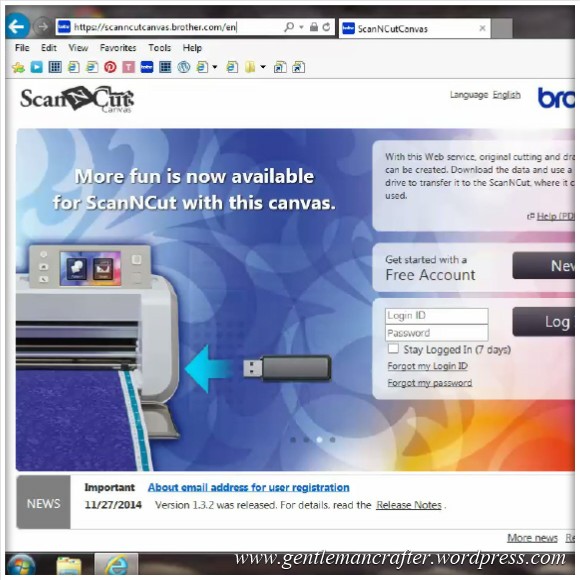
Here is a quick video overview of the Brother Scan N Cut Canvas that I put together recently.
I am planning more videos on this in the near future so if there is anything that you would like me to cover, please feel free to pop your requests in the comments section at the bottom of this post.
In the meantime, thank you for watching! :)
 GENTLEMAN CRAFTER
Very good clear instructions John, I had issues with the text part of canvas and in this video you set me straight on what to do so thank you
LikeLiked by 1 person
Hi John, thanks for your video, my friend in South Africa has just forwarded it on to me. Got the S n C off my husband for Christmas now need to get involved with it. John when you use the computer for Canvas and downloading files does it have instructions for the Mac computer, as you may have guessed I am a dummy when it comes to computers. Thanks for all your help it is greatly appreciated
Regards Liz.
LikeLike
No it doesn’t. It’s 99% the same though as far as I can gather.
LikeLike
Thank you John so much for this video,I don’t have a scan n cut YET as i have a cricut expressions and wonder if i would be able to manage the scan n cut, The way that you spoke in the video helps us understand its workings a little more.I want to also make sure I would be able to get full use of the scan n cut. I’m drawn even nearer to getting one since your video and looking forward to your next one.I love the computer but don’t fully understand SVG files or canvas that they speak about on create and craft.
Thank Mary
LikeLike
In all fairness Mary you don’t need to know about SVG files to work the machine. There are lots of built in shapes and you can scan/convert your own designs. SVGs are just a common file type that can be converted for use with the machine if you would like to.
LikeLike
thanks John for the video very clear looking forward to the next one Got the scan and cut in Birmingham and have downloaded an SGV file and made a Box Card. super!
Marie
LikeLiked by 1 person
John, thank you. If you could explain what the error codes mean, so we could correct the svg file, I would appreciate. Also, I wish the canvas program had direct access to all the files in the booklet. Ashley did a card showing uploading a quilting file to canvas and then editing it for a card. Would like to see how she did this?
LikeLike
Hi John great video and good clear instructions can’t wait for part 2.
Just a quick question – when cutting fabric on SNC someone said you use freezer paper, is this correct and if so how do you use it?
LikeLike
I have used it as one method, I’ll try and cover this in a future post.
LikeLike
Thank you for this. I have the machine and have no idea about these features. What about svg files? Do I need a special program to download them? I see projects on line and would like to try to cut them and am totally clueless. I have a cricut so I do know about operating the basics but need help with involving my computer with the machine. Thank you for you’re patience with helping us learn these wonderful machines.Cathy
LikeLike
I am having trouble logging into to brother, as I have mislaid my ID and Password, I am not able to log into Brother. have sent them an e-mail . am being told I cannot register again, so have to reset details which I do not have. I have downloaded update, that was ok because did not have to log in.thanking you audrey.
LikeLike
thank you so much john very helpful.I also have had my machine since the launch last
year but have only used it for the basics.Like adrienne i have tried to download SVG files
with no success.A video on this would be very helpful
thank you for your time.Marion
LikeLike
good morning john
thank you so much for this video as i also have had my machine since it was launched
and have only used it for the basics.like adrienne i have struggled with SVG files
i feel i am missing out on a lot of things i could be doing.
thanks again john .marion
LikeLike
Thank you for the over view. Looking forward to more of your videos.
LikeLike
Many thanks for the canvas video John it was brilliant
looking forward to more
LikeLike
Thanks again John. I echo exactly the last comment from Adrienne – bring on the DVD! I haven’t had the confidence to even try Canvas yet but now I feel much happier about it. Having said that I’ve been so busy learning on my ‘Bro’ and using all the images already there that I’m only just feeling the need to try Canvas. Happy crafting!
Liz
LikeLike
Thank you so much John for a clear an concise tutorial. It has inspired me to try more in Canvas. I’d love to learn more about working on SVG files from Pintrest and converting them to use in the ScanNCut. John I could listen to your lovely voice all day. Looking forward to up and coming tutorials. Thanks again. xx
LikeLiked by 1 person
Thank you so much for this step by step tutorial and I look forward to more. So far all I have used Canvas for is to download and convert svg files and it would be good to start doing more with it. I look forward to seeing a video on the faux stitching Mel mentions.
LikeLike
Just to say thank you John for your advice. It is most appreciated. I have had a little dabble in Canvas but not done anything serious as yet.
Thanks again
Carole.
LikeLike
Thanks John this has helped me so much. Looking to more videos. Can’t wait toget started.
Pamela
LikeLike
Hi John. A friend of mine has just had her machine delivered so I have sent her a link to your blog. Hope that’s OK
LikeLike
Really clear instructions thank you. Looking forward to further posts.
LikeLike
Very useful guide, thank you. I don’t have the machine yet but it is very useful to be aware of the extra software available 😊
LikeLike
A really useful. extremely clear and fab tutorial. Thank you John :-)
LikeLike
Thank you so much John for taking the time and trouble to help all of us that are struggling with Canvas. Your lovely voice and clear, concise narration makes it a pleasure to watch and very informative. Really look forward to future videos on this subject. Thank you.
LikeLike
Morning John …. looking forward to more on the Canvas. I have found my way round the basics, just need more knowledge on settings on ‘what I want to cut or draw’!! Always seem to get something wrong and see the machine merrily cutting out text from a designed topper ….. :-) Have a nice day, x
LikeLike
Hi Jacki. If you want to “draw” the text rather than cut it out, make sure you go to Properties and set to Drawing Line. When you put this into the SnC machine, it will only draw. Hope this helps.
LikeLike
thanks so much for this video! Just what I needed. I’ve had a play with canvas but wasn’t sure I was using it to its full potential! I would be interested in a video about designing with text to be drawn in a cut shape but showing how you can accurately space, size and align the text. I did it “by eye” but wasn’t perfect and I’m sure there’s a more efficient way. Thanks again – look forward to more videos!
LikeLike
Thanks for that John I feel now I will b able to use my canvas. I have had my S&C for a year now & have not managed to do any thing other than the functions on the machine.
Can you please now do a video on how to download SVG files I have not had any luck so far . Thanks again Adrienne
LikeLike