
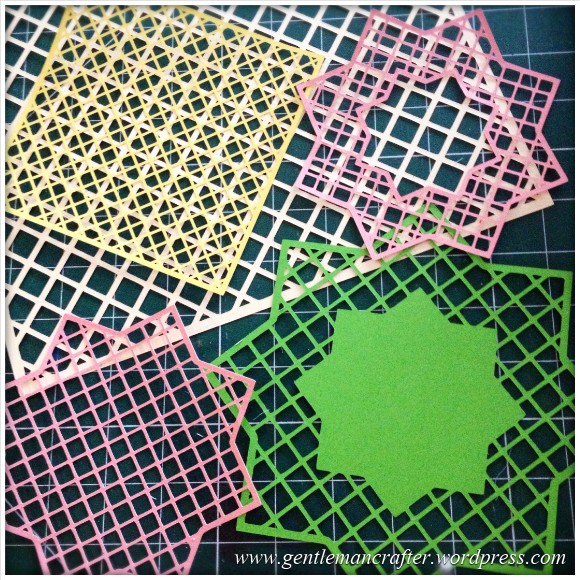
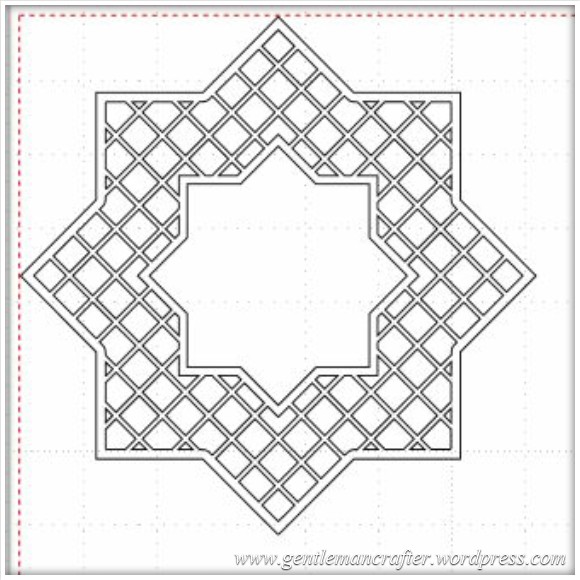
Just a quick post here to share some of the lattice cutting files, for the Brother Scan N Cut machine, that I showed on Create and Craft TV this morning.Here is a quick pic of them.
The Files
In order to download simply RIGHT CLICK the link (underlined text) or the image and choose SAVE LINK AS… and then choose where you want to save it.
To cut with your Brother Scan N Cut – transfer the file to your machine via a USB stick and use as a normal cutting file.
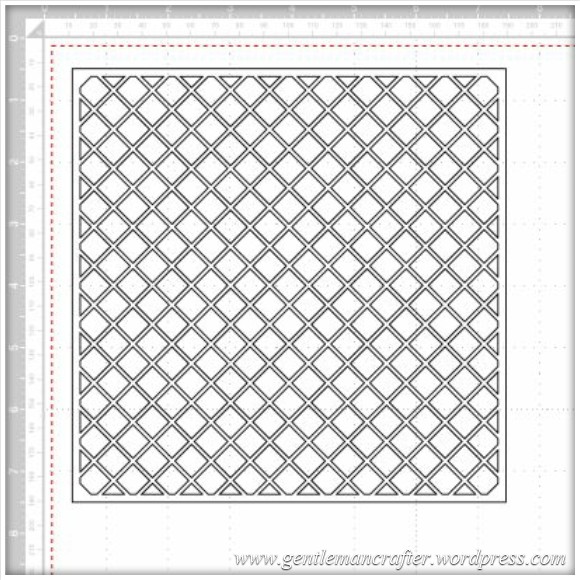
File 1 – 7 Inch Square Lattice
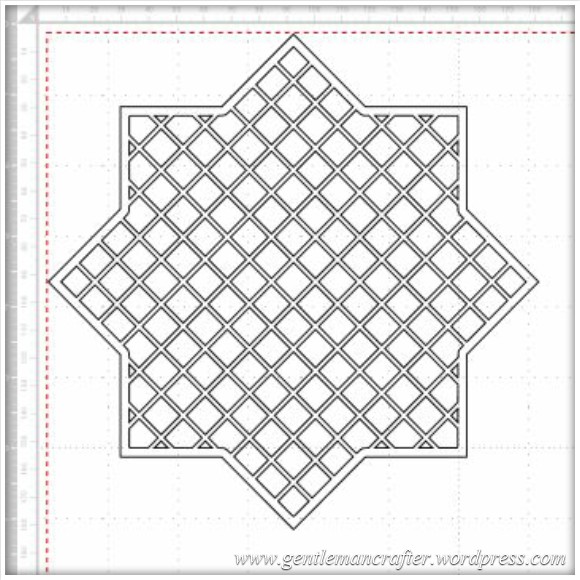
File 2 – Star Lattice Cutting File 1
File 3 – Star Lattice Cutting File 2
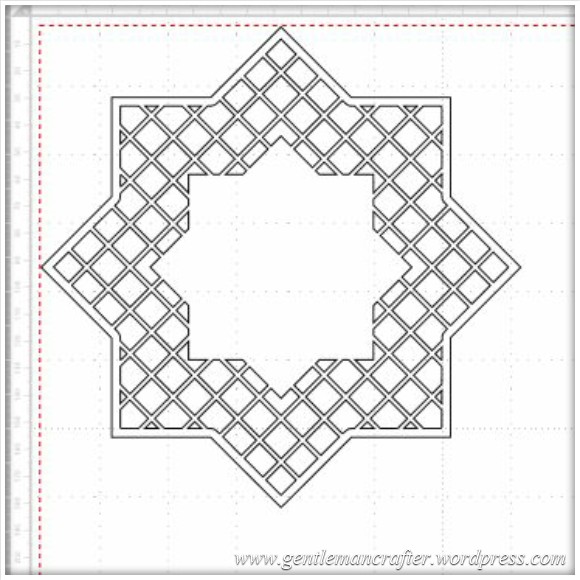
File 4 – Star Lattice Cutting File 3
Feel free to make and sell finished projects with these designs. Please don’t sell or share the file – please just link back to this blog post so that other’s can download for themselves :)
Would love to see what you make if you use them.
Many thanks!
J :)
 GENTLEMAN CRAFTER
Thank you so much for these lovely grids John as I’m rubbish at designing ,drawing ,and all things artistic
LikeLike
Sorry to bother you again John…. but can you enlighten me on how to convert my Craft Artist (SVG) designs to an FCM file? I have tried using Canvas but I keep getting this message. “The pattern could not be imported.(ErrS09)” I have tried re-sizing the design in CA but the error message always comes up. Xxx
LikeLike
Can you email me the serif file please Sandra and I’ll take a look. Also can you include a screen shot of your export settings.
LikeLike
hi i have the same problem ErrS09.
can you help me please
LikeLike
This is going back a bit. There is an explanation in the manual and also videos on YouTube that might help.
LikeLike
I don;t have the Brother John, but I do have the Cameo – my problem is with fine lattice cuts, the card tends to separate as I remove it from the mat (into layers) – what card did you use to cut out your lattice please?
LikeLike
I used a 120gsm paper for the small square and a 200-250gsm card for the larger square and stars.
LikeLike
Hi John. Thank you so much for sharing these wonderful files. I can’t wait to try them. Thank you also for the inspiration you provide on the shows.
LikeLike
I love what you do – so practical and straightforward. Muchas gracias from Spain.
LikeLike
Thank You John for your generosity in sharing with the craft world.
LikeLike
Thank you very much for the trellis cutting files John. I have downloaded them into canvas ready to transfer onto my ScanNCut via flash drive. Looking forward to playing with them.
LikeLike
Thanks John for sharing these. You are most generous. However I cannot find the ‘save link as…’ when I right click. I have saved them by choosing ‘save pic to…’ They have saved as a JPEG so can I still transfer them to a USB stick or will I have to crop to edges?
LikeLike
Interesting – is there an option called ‘save target as…’ If so, try that one. It won’t work unless you save the FCM file.
LikeLike
If you right click on the name of the file rather than the picture ‘save target as’ will come up.
LikeLike
Thankyou very much John, this is a lovely gift and so very kind of you.
LikeLike
Thank you John, these are greatly appreciated. Also today (Saturday), because of the problems I have been experiencing, I was particularly grateful for your doeflex cutting demonstration. It has given me heart to try and find a solution to my problem. Thanks once more.
LikeLike
Thank you very much for sharing these files, you are very generous. Just got rid of, sorry taken home my 4 year old grandson, I am now shattered, so am sitting with a G & T watching your shows which I recorded today. Thanks again.
LikeLike
Thank you John for sharing your files.
LikeLike
These are Fab, thanks for sharing John.
LikeLike
Thank you so much for these complex and detailed files. I have yet to download them, but I am sure that it will be straight forward.
I greatly appreciate how much effort that you are putting into bringing us all the wealth of experience which you have gained with Scan and Cut and sharing it so generously with users of this brilliant machine.
LikeLike
Thank you John for sharing, also for creating the material cutting settings.
LikeLike
Thanks for sharing John!
LikeLike
Thanks John can’t wait too have a go
Sent from my iPhone
>
LikeLike
Great files. THANK YOU, John
LikeLike
Thank you so much, I have just made my first mask in scan n cut today and my first teddy bear frame. I love it just need to win the lottery, so I can stay at home and play :-)
<Karen H
LikeLike
Please can you help, your files will not download it says files not recognised,also I can’t update my machine.thank you
LikeLike
Are you right clicking and using the save function as mentioned?
LikeLike
thankyou John watched the show this morning…went out bought USB flash drive…updated machine from your link…whee it worked…and now downloaded these files will try in a mo….you are a star thankyou for shareing
LikeLike
Hi John. Can we please have more like your Designs like the Lattice Set to Download. It was so easy to do so and they cut out beautifully. Regards Edna
LikeLike
thanks so much!!!! Appreciate you sharing your work!
LikeLike
Hi john
Thank you for the lattice patters but I cannot open them , all i get is the programming. Can you tell me where I am going wrong. I am not very computer minded.
LikeLike
Instructions are on the blog post. At which point are you getting that message?
LikeLike
thank you for the files John very generous of you to share them
LikeLike