
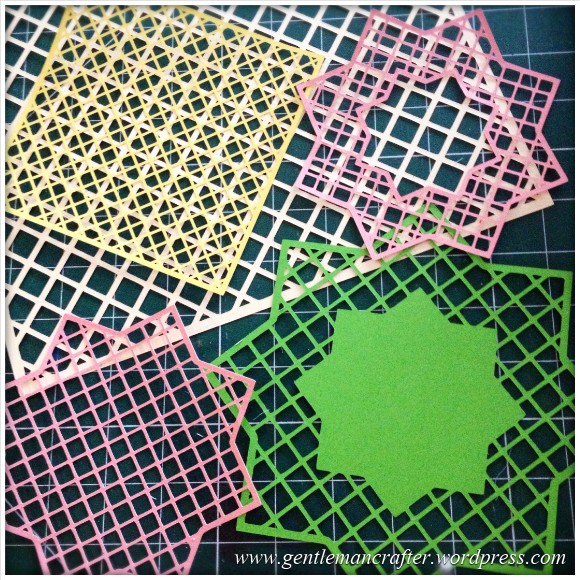
Just a quick post here to share some of the lattice cutting files, for the Brother Scan N Cut machine, that I showed on Create and Craft TV this morning.Here is a quick pic of them.
The Files
In order to download simply RIGHT CLICK the link (underlined text) or the image and choose SAVE LINK AS… and then choose where you want to save it.
To cut with your Brother Scan N Cut – transfer the file to your machine via a USB stick and use as a normal cutting file.
File 1 – 7 Inch Square Lattice
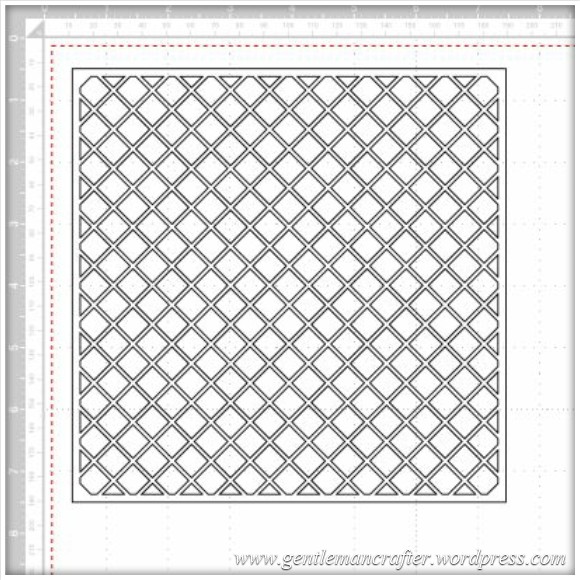
File 2 – Star Lattice Cutting File 1
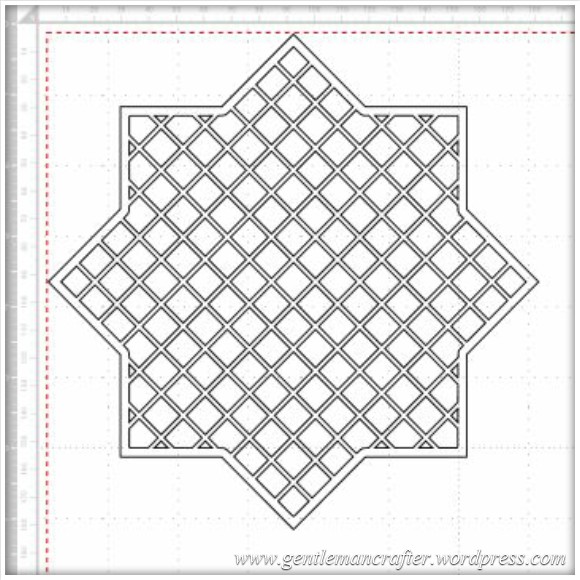
File 3 – Star Lattice Cutting File 2
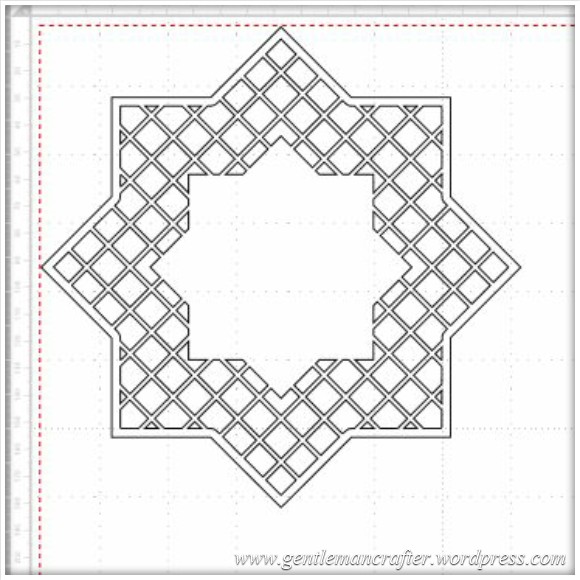
File 4 – Star Lattice Cutting File 3
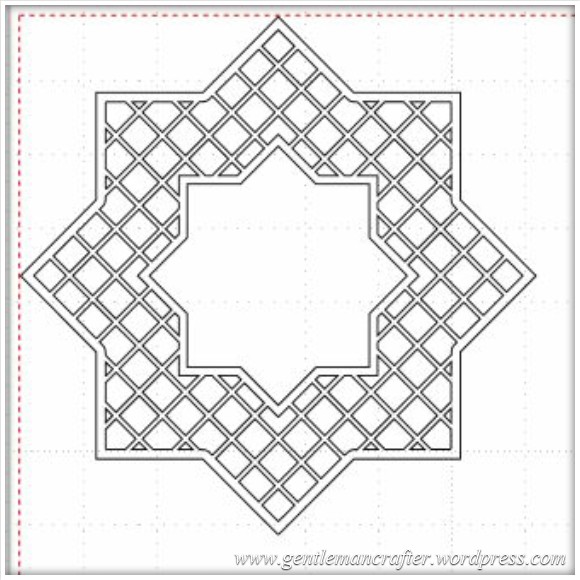
Feel free to make and sell finished projects with these designs. Please don’t sell or share the file – please just link back to this blog post so that other’s can download for themselves :)
Would love to see what you make if you use them.
Many thanks!
J :)
 GENTLEMAN CRAFTER
Thanks for these John. I was watching your demos today and found them all really useful reminders. Any chance of a picture tutorial of how you made these? Thanks
LikeLike
I agree Sandie it would be really useful.
LikeLike
Thank You so much John, I have only had my Scan N Cut since Tuesday but your files have cut like a dream, now what to do with all the squares that come of if it ha ha!
LikeLike
Oh yes, forgot to warn everyone about those :)
Whoopsie :)
LikeLike
Thank you so much. from a Bulgarian SNC fan.
LikeLike
Thank you for sharing your lattice designs they are really good and we’re very easy to download. I have now cut the lattice square out with my scan n cut. The whole operation just took minutes so thanks again John. I am subscribed to your blog and I am looking forward to the next one
LikeLike
Thank you John, you are such a kind generous man. Thank you for all your time spent making our time on the Scan n Cut so much easier. Margaret
LikeLike
Thank you for your generosity in sharing these files. Love the ease of use with the brother, just wondering did you create these directly in the scanNcut canvas?
LikeLike
No, it was in a different program :)
LikeLike
Thank you John for sharing these designs the are superI love my Scan N Cut your shows are great and so full of information Bless you
LikeLike
Thanks so much John, these are lovely. Do you have any idea if Brother are going to upgrade their canvas? I have used it to convert .svg files to .fcm files but it won’t convert more complex .svg files that I’ve purchased.
LikeLike
It has already had an update. Have you tried recently?
LikeLike
Hi John – last was converting on the canvas last week and some svg files just got a response unable to convert all the file.
LikeLike
Please can you email with more info, ie what software the SVG files were created in.
LikeLike
Hi John, not sure what programme they were designed in. I downloaded from a lady whose blog is called birdscards……..she gives away loads of svg files. Am on my tablet at the moment but can give you a link tomorrow or even send you one of the files if that helps?
LikeLike
Yes, if you could email one that would be great :)
LikeLike
Hi again John, I’ve just tried once again on the canvas to convert one of these svg files and the error code says: Since this file contains too many lines it cannot be converted (Err S15). I have got the file already to email to you but don’t have your addy. If you email me at (edited) I can reply and send the file. Many thanks. Karen x
LikeLike
Done :)
LikeLike
Hi John
I did not know how to email you about this question and it is unrelated to things you have posted so I am trying this way hope it works. I am very pleased with my scan n cut and have not cut through mat as have followed all excellent advice given. I have also used the crafters companion spray to hold my card as mat is no longer sticky, but I am using this all the time now and that adds up to money just to use the cut feature. If I have to buy a new mat each month it is making it expensive to use. I notice on the stick and spray it is up to 50 uses but I only use it once because it is on the card I have cut out . I have heard you say do not spray mat but never why not, because this would extend life of sticky mat as I would have up to 50 uses. I know you are always in contact with Brother so could you help please? This is the only disappointment I have with scan and cut is the unsticky mat.
Thanks John your blogs are great, I have never subscribed to a blog before and was very nervous of doing so and I do not do facebook or twitter so this is a first for me.
LikeLike
Hi Judy – got a very helpful tip yesterday regarding the stickiness or not of the mat. I hate spraying the cardstock as you dont always want to stick to something after! Anyway the tip is to wash and airdry the mat and either use zig 2 way glue (chisel tip) and apply to sticky area or do the same using Aleenes Tack-it Over and Over adhesive (water it down 50/50 first). This will last quite a while and you can re-apply when needed. Hope this helps.
LikeLike
Thank you for the files, I shall be watching you today. Yours and Mel’s demos are great. Thanks again.
LikeLike
Thank you very much John.
LikeLike
Thank you John for the downloads for your Lattice cutting files it was a piece of cake, I have Windows 8 and I had to save AS.. SAVE TARGET AS.. I will be watching you today thank you again
LikeLike
Fantastic cut files John. Thank you for sharing. Just getting to grips with my new Brother and its brilliant. Thanks for all your demos and info.
LikeLike
Thanks so much John for your generosity in sharing these files very much appreciated. Margaret
LikeLike
Thank you John, will definitely be having a ‘play’ with these. Don’t know how you find the time, but so glad you do. Thanks again – Ann
LikeLike
Thank you so much for the cutting files John. I have put them onto my usb stick, but can’t remember how to transfer them to the brother – could you post a reminder please???
LikeLike
Just load pattern, saved data, USB. Easy :)
LikeLike
Thanks a lot- all done xx
LikeLike
Thanks John very generous, have been thinking about making a couple of these files myself but you have saved me time and trouble for which I truly appreciate
LikeLike
Thanks John I managed to down load these and they came up on my Brother. Just wish I could sort out what I am doing wrong whith the ones I save on my key that dont show on the brother Marylyn
LikeLike
Thank you so much john for these cutting files…you are a star!! hugs :o)
LikeLike
Thank you so much for sharing these John!
LikeLike
Thanks so much for sharing John. Looks amazing… and just what I need for one of my Scrapology challenges. Hoorah for you! So glad I bought my Scan ‘n’ Cut xxxx
LikeLike
Thanks John for sharing these.
LikeLike
John,
Thank you for sharing. Did you create these in Serif Craft Artist? Looking for a good place to create designs as haven’t got on well in Canvas.
Regards, Liz
LikeLike
No, but you could :)
LikeLike
Thank you John.
LikeLike
Thank you from a French SNC fan
LikeLike