
*please note – there is now an updated version of this list of links here*
Hello all :)
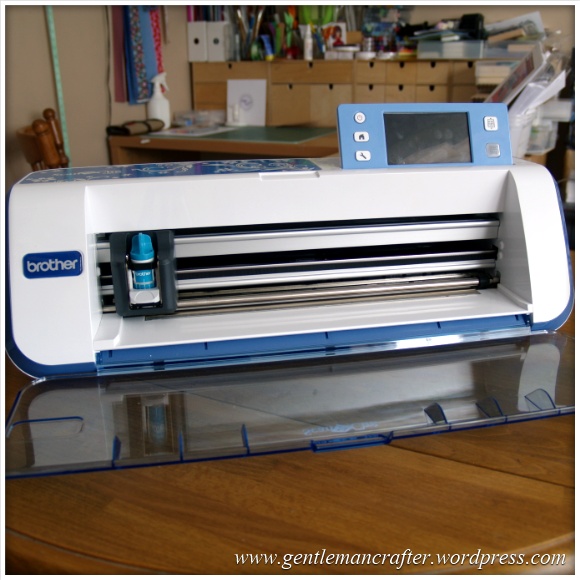
Well, both Mel and I have been overwhelmed by, and grateful for, the positive feedback from the Brother Scan N Cut shows on Create and Craft TV however there have been a lot of frequently asked questions asking for more information.
I have therefore trawled as much of the internet for you and collated a list of useful links that I hope will cover a lot of these FAQs.
Where To Buy
If you are thinking of buying this machine, and are located in the UK, you can get your Scan N Cut machine exclusively from Create and Craft TV.
More Info
Brother Scan N Cut Website
In honesty, a lot of commonly asked questions could be answered with a quick poke around the Brother Scan N Cut website. You can find it by visiting http://www.brother-usa.com/ScanNCut/
User Manual
Not a common request, but probably one that a lot of you could take advantage of. It’s the instruction manual. Yes, the very one that I didn’t bother reading when I first switched on my machine! Might give you some good reading and help you understand how the machine works and what it can really do.
The user manual can be downloaded from here – http://www.brother-usa.com/VirData/Content/en-US/ScanNCut/Consumer/UsersManual/CM100DM_CM550DX_User_Manual_English_1.pdf
Other Documents
Want to see the other documents that are included with the bundle from Create and Craft TV? You can find them all by visiting this support area – http://welcome.solutions.brother.com/bsc/public/eu/gb/en/doc/manual_top.html?reg=eu&c=gb&lang=en&prod=hf_cm600dxeuk
Scan N Cut Canvas
A lot of you have asked for a link to the Brother Scan N Cut Canvas online software so that you can start playing and designing. You can access this by visiting http://scanncutcanvas.brother.com
You will need to sign up for a free account in order to access this. Having the machine doesn’t make a difference, you can start designing now in anticipation of when you do receive your machine. All of the designs that you make will be stored online until you want to download them.
You can transfer your images to your machine by downloading them and putting them onto a USB stick which you can then insert into the machine.
Updates for the machine are likely to be advised here also.
Final link in this section would be to the help file PDF which is located here – https://scanncutcanvas.brother.com/Help/Help_ScanNCutCanvas_EN.pdf
Software Updates
The process for upgrading the software is listed in the instruction manual.
The software update will need to be downloaded onto a USB stick which you would then need to insert in your machine and perform the update.
According to the instruction manual, updates will be listed on the Brother Support website here – http://solutions.brother.com/
I have a feeling that they will also be listed on the home page for the Canvas software.
Videos
Some of you asked where you could see more footage of the machine in action.
Brother have been compiling a series of promotional videos and also videos from other users and reviewers on their YouTube channel. You can access it by visiting http://www.youtube.com/user/BrotherCrafter
Social Networks
I know that a lot of you are on Facebook, Twitter and Pinterest – and so is the Brother Scan N Cut – here are the links.
Brother Scan N Cut on Facebook – https://www.facebook.com/BrotherCrafter
Brother Scan N Cut on Twitter – https://twitter.com/BrotherCrafter
Brother Scan N Cut on Pinterest – https://www.pinterest.com/brothercrafter/
Copyright
There was initially some confusion on social networks and forums about this matter. To clarify, the ownership of this machine does not change the copyrights, terms of use or angel policy of ANY other product or image that you use in conjunction with this machine.
The purpose of having the built in scanning functions is really to give you the ability to design your own so that you don’t have to just rely on things that are already out there – which is a very exciting opportunity to me.
That’s It For Now
Anyway, this should give you lots of reference points no matter what you are looking to find out.
If however you have other questions, please feel free to list them below and (when I get time) I will be sitting down for many play days with my machine and also blogging some of the test results, projects and files for download in the future.
I hope this helps.
J :)
 GENTLEMAN CRAFTER
One thing I would plead for Brother to do is release a universal pen holder so I can draw with promarkers, distress markers, spectrum noir’s etc. A diamond tipped engraving point (I have one for my Cougar) instead of a pen opens up a world of possibilities with materials such as metal and acetate/plastics.
LikeLike
Great suggestions Andy. Will forward them on for you.
J :)
LikeLike
Hi John – really appreciated all the shows done by yourself and Mel and my machine is ordered along with some of the extras. I’ve registered on the Brother ScanNcut Canvas site as I’m trying to fathom out how to import my Studio and Serif shapes to convert the file formats to be compatible with the Brother format. Not had any luck at all (I’m never very good at this sort of thing) and I would like to see step by step instructions right from going into Studio or Serif to select what I want to import. As you can see this is not my thing. Looking forward to the Craft Clinic today and will be glued to the set with my notebook and pen.
LikeLike
I will be doing blog posts on all of this in the future however by far the easiest way of getting the image from your software and into the Brother machine is to print the image and then scan with the machine.
If however you wish to use the canvas software then you will need to export from your graphics software in a JPG or PNG format and then do an “image tracing” in the canvas software.
Hope this helps in the meantime.
J :)
LikeLike
Hello John. Just saw your ‘new’ demo this a.m. on C&Ctv, thank you, I love that. Is there any way to know when ‘new’ demos will be on (rather than repeats)?
Re Language Setting on the SnC: If I choose French, am I right in assuming that the various accents will show up in the fonts and that the pre-installed phrases will be in French and also, most importantly, can I easily switch back and forth between English and French depending on what I am printing? I tried to find the answer via the Brother website with no luck.
LikeLike
Good questions Mo. I will need to check re languages.
As for new demos. Both Mel and I will be aiming to try ‘new’ things in each live show. The TV schedule on the Create and Craft TV website would be the best place.
Live shows run from 8am to 8pm
In the future I will also be blogging about all of these techniques.
J :)
LikeLike
Wow! isn’t technology great? Sitting here in France on a drizzly day and just watched your show on tv and was delighted to see the accents in the fonts. Merci.
In my question above, what I meant to say was that the tv schedule does not tell us whether it is a new live show or a repeat, so, is it possible for you to post dates of your, and Mel’s, next live show on your blog so we don’t miss any?
LikeLike
I will endeavour to do so Mo.
Mostly I post these on twitter and my Facebook page though.
J :)
LikeLike
Fair enough John re your posting upcoming shows on Facebook and Twitter. I would like to join both to follow your posts if I can only figure out how to do that and receive your postings without losing my privacy but I will try to look into that. Loved the shows today, I am a fan, thanks. I also love your Blog and all the various crafts and you have got me interested in some new crafts other than sewing.
LikeLike
p.s. I love your teacup patchwork panel. They must be appliqués?
LikeLike
That’s right Mo. I applied a heat fusible backing before cutting on the scan n cut machine.
J :)
LikeLike
John, again Thank you for all the info you keep giving. I have one question which I had and has now been raised on a US forum.
Some Silhouette users ( incl me) have had to recalibrate their machine when cutting slightly out of line. An easy process. I read through the Brother manual and can’t see it covered there. There does not seem to be a link on the Brother UK website yet to ask a question to a dedicated Scan n Cut Techie, so wondered if you could add anything? I know it seems like looking for problems – but as I have had to do it with the Cameo it might be worth knowing.
LikeLike
Not something I’ve experienced so can give you an immediate answer.
As far as I am aware all machines come ready to go. As there are no ‘registration marks’ to work with then calibration for that wouldn’t be necessary.
Will look into it though as I’m sure that a company like Brother will have a solution.
Will keep you informed if I come across this.
J :)
LikeLike
Margaret
John I have registered with scanncut canvas and downloaded the manual and help files in anticipation of the arrival of my scanncut, I have loads of files and images I would like to use with my scanncut but they need to be converted to fcm format, according to the canvas site it can only convert from svg. format to fcm for use with the scanncut. I am understanding this correctly. What about jpg.files
LikeLike
Margaret, it will also do jpg and PDF. Just choose the image tracing option insert of the convert option.
J :)
LikeLike
John
Thank you very much for the information I have now sussed converting my jpg files.
LikeLike
Hi John
Your readers might like to know that there is a Yahoo group for the Scanncut
Maureen
LikeLike
Hi John – I’ve just been playing further with the SNCCanvas program and as you say, it does allow grouping of elements in a design – now I need my machine to arrive in order to demonstrate specific colours can be allocated to different parts of the design. This waiting game no fun – I’m jumpy and we’re not halfway there to possible delivery. Yourself and Mel certainly managed to whet a few appetites.
Thank you
Eddie
LikeLike
Hi John – I understand that not only must you support copyright law, you must also be ‘seen’ to support it. I feel that much has been made of this since the launch whilst over the years that I have owned an electric cutter I have always owned a printer with scanner and therefore always had the capability of breaking copyright law. It seems strange that the issue is being headlined now when the potential for offence existed long before the introduction of this super looking machine.
Eddie
LikeLike
If ever there was a voice of reason, you are it right now.
Thank you!
J :)
LikeLike
Hi John – Like many I am an existing Cameo user who is buying into the use of the Brother ScanNCut. I don’t anticipate it replacing my Cameo but I think the machines will compliment each other. Is there any way in which elements (e.g.Lines) of a design can be grouped together – I’m wondering if I will be able to produce coloured line art drawings as I do with the Cameo. I’ve accessed Canvas and am starting to become familiar with that – starting to build my file store. Itching to get my hands on this machine which you have brought to us.
Eddie
LikeLike
There is definitely a grouping feature but I’d really need to see what you have created to see if it could be replicated.
Perhaps you could email me an image or a link to your blog I can then have a look and let you know.
J :)
LikeLike
I would like to know how to convert SVG files to use with this machine.
LikeLike
I will do a step by step on this soon. In the meantime why not have a go at this via the Scan N Cut website (link above).
J :)
LikeLike
Hi John
Sorry to bother you with this and I’m hoping that it’s only a minor problem I’ve got with regards to ScanNcut Canvas. I downloaded this yesterday in order to start familiarising myself with it prior to getting my machine. As I’m sure you know, there is already a sample butterfly in the ‘my projects’ thumbnails and I created a couple of new projects that I did myself, gave them names and got the window to say that my projects had been saved. This morning however, I’ve gone back into the program and tried to open up one of the projects which are all visible in the thumbnail view but when I click on the ‘edit this project’ button all I get is a blank canvas and none of the designs on the canvas show up! Even the butterfly sample doesn’t show the image when in the edit mode.
I know you’ve been busy learning things yourself and demonstrating this past couple of weeks so probably haven’t had much time to mess around in the software, but I wondered if you or Mel have come across this problem before?
It might be worth mentioning that the software isn’t supported on my normal browser which is Firefox so I’m running it on Internet Explorer 11 which is the latest version for Windows 8.1. I’m totally puzzled :-(
LikeLike
Not sure in that one. There are specific browser requirements. It might be one to ask on the brother help desk.
J :)
LikeLike
Hi John
I have tried to register on the canvas site but they inform me that I do not have the right password and that they will email me the right one but although I have tried this several times they do not send me an email with my password. Is there someone I can contact to remedy this please
LikeLike
The brother help desk might be a starting point. Or is there a link to reset your password?
J :)
LikeLike
How do I get on to the Brother helpdesk please
Maureen
LikeLike
I believe that it’s via the link for the solutions centre which is listed above.
J :)
LikeLike
Looking forward to getting my machine. I’ve taped so many excellent demos by John and Mel. I’ve tried accessing Canvas from several different computers running Windows XP but always get a message saying that my Browser Is not supported. Has anyone else had problems?
LikeLike
Which browser and browser version are you using?
J :)
LikeLike
Hi John
I’m using IE8 witch is the latest version for use on my system with Windows XP according to the Microsoft download website.
LikeLike
Yes Brian, I’ve had the same problem. My regular browser is Firefox but I’ve had to use Internet Explorer in order to access the Canvas program.
LikeLike
John – I just wanted to say a big thank you for all the work you have put in todate. At 79 it is not easy to take all in as I once did but the more I see of Mel and yourself the more confident I am becoming. I am looking forward to the arrival of my machine also hearing more from you.
LikeLike
Morning John, here I am having to wear a collar for at least six weeks and cannot do anything ,but ona brighter note I have been watching you and Mel with this amazing machine it is brightening my day you are both amazing teachers .
LikeLike
Sounds very uncomfortable Anita. I hope you have a speedy recovery.
J :)
LikeLike
I have been glued to the shows and Thank You and and Mel for the information already given. The problem is it is making the wait for mine to arrive nearly unbearable.
I have saved the page of links for future use and have alreadt joined the canvas site and using the time to have a look around that and maybe get some files ready for use..
LikeLike
Fabulous shows from yourself and Mel, so many exciting things to look forward to. I sat on my hands for a few days because I wasn’t too sure, and I do already have a silhouette – but I just had to give in because I am wanting to get into quilting and patchwork and can see the Brother is going to be such a boon, especially with the accurate cutting and putting in the seam allowance too. Thanks again for all the wonderful and informative shows
LikeLike
As a stamp manufacturer, our copyright on all images across our varied collections does not permit the mechanical reproduction of any PaperArtsy images. We only allow the images to be hand stamped, and used accordingly. To scan our images or those from our designer collections would therefore be a breach of our copyright.
As many stamp companies licence designs from artists, policies like this are there to protect the artist and the brand concerned.
As this is not a blanket policy across all stamp companies, we would advise your ‘scan and cut’ users check with any stamp or image company directly as to their specific policy on the mechanical reproduction of images.
Kind regards
Leandra Franich
LikeLike
Nice of you to drop by and clarify for everyone but I would also appreciate your feedback on the Direct Cut function of the machine.
Direct Cut serves to act as a pair of scissors for images that have been hand stamped. Whilst the machine will recognise the outline of a hand stamped image, in order to facilitate the cutting out of the hand stamped image from the card onto which it is stamped, it does not allow the user to store, manipulate, or replicate the design in the machine.
What are your thoughts on that feature?
J :)
LikeLike
Hi john
In answer to your question, of course, the direct cut feature is a practical feature, particularluly for those crafters with dexterity issues, or those of us who can think of better things to do then cut out stuff by hand for hours :)
If it does not allow the image to be ‘stored, manipulated or replicated’ then this is, from our perspective as a stamp manufacturer, also desirable.
It is probably worth a mention that if crafters are utilising this feature with a hand-stamped image, that they are using the resulting item for their own personal use, and not for commercial gain. ie not packing up a bag of cut images to sell on eBay or similar.
Kind Regards
Leandra
LikeLike
Thank you or the clarification Leandra. Some v good points there.
J :)
LikeLike
Oh Mr. Bloodworth….. I can resist no longer. I HAVE to have this machine. Both you and Mel have done a sterling job showcasing the Brother. When can I come and work with you guys???? (dream job) xxx
LikeLike
My take on this is the Brother scan n cut is basically a very expensive pair of scissors if all you want to do is scan stamped images and cut them out, and the same with royalty free clip art images. However it has so many other uses eg all the built in images, the quilting possibilities, the hand drawn images, my head is swimming!! Also Brother is a long well respected company. I grew up with a mum who used Singer sewing machines but also acknowledged that Brother were just as good. In the 80’s I had a knitting machine – a Brother electronic no less! – a superb machine. It cost approx. £1000!! In my opinion if you buy cheap you get rubbish! Having said all that I can’t wait for my scan n cut to arrive. Congratulations to you John and also Mel for the amazing demos. x
LikeLike
Thank you so much for all the information you have sourced and shared John. I have thoroughly enjoyed the shows you have both done and I have tried to watch all of them. You have shown us so much and every time I watch I think of something else exciting. I followed your link for the Brother canvas and have completed my first design. I will send a photo as soon as I have cut and stitched the first quilt panel.
Take care and thanks again for sharing your enthusiasm.
LikeLike
thank you john for your hard work I have a cameo but can see the possibilities of this machine so have ordered one and cant wait to get started I do have some concerns as I do like to cut very intricate designs on the cameo is it your opinion that if the cameo can do it so can the brother ?
LikeLike
Mel has achieved some very intricate cuts. If you’d like to email me an example I could do a test cut and we can see how well it comes out.
J :)
LikeLike
yes I will john as its the only thing concerning me at the moment what email would you like me to send it to
LikeLike
There is a link at the top of this blog (looks like a little envelope).
J :)
LikeLike
I am not Alison! But I am very interested to know the answer. Rather than inundate you with files, would it be possible to share the outcome?
John, I had dismissed this machine as expensive and unnecessary as I have the Cameo. However, your informative and professional presentations persuaded me otherwise – and I am now eagerly awaiting mine!
I have already downloaded the manuals, regd with Canvas and can’t wait.
Suggestions for software: ability to store cut settings for materials. Also,I know they say cut settings can vary with age of blade etc BUT that is a bit like a cookery book saying it won’t give oven temperatures because all ovens are different – a starting point is always good for me – anyway!
I would also like to understand what decides speed and pressure as sometimes it seems contradictory.
Not asking much!
Thank you so much, John.
LikeLike
Sorry Dee. Must have clicked the wrong comment to reply to :/
Will feedback all of your points and yes I will be sharing all test results and setting suggestions in the future.
J :)
LikeLike
Hi John, you’ve really been busy compiling all the links for further info on the machine. I have a quick question though. Most of the designs on the shows have been quite…substantial. Could you tell me if it is capable of cutting out intricate smaller designs, like flourishes for cards and the like.
Thanks x
LikeLike
Mel has achieved so very small intricate designs using Peel Off sheets with small sentiments.
The final result will of course be down to the design and the material that you are trying to cut.
J :)
LikeLike
Thanks John x
LikeLike
It is great to see what you and mel have done over the past week and I also believe your heads are still buzzing with ideas I have one question I have a silhouette can I use the images from that in the brother scan and cut also do we need to replace the blade houseing every time we replace the blades
thank you Davina
LikeLike
Hello Davina,
The blades are interchangeable. You don’t need a blade holder for each one.
With regards to the images, it depends what format they are in. If they are the .STUDIO file format, then no.
The native file format for the Brother machine is .FCM
Hope this helps.
J :)
LikeLike
Thank you John, for taking the time and trouble to put together some very useful advice and information. I endorse what you say about registering an account with Scan N Cut Canvas ahead of getting the machine as like anything new, there is a learning curve. I’ve been playing around a bit in it today and it does look to be very user friendly. Oooh, I so can’t wait for the 10th Feb ;-)
LikeLike
Glad to hear that you are getting ahead Jackie. I look forward to seeing what you come up with!
J :)
LikeLike
Concerning the angel policy, and the copyright law, is it not that you can use it for your own purposes and charity but not for profit, on the brother embroidery side, some designers give us permission to do up 50 of their designs, if we can’t use then why should we buy them?
LikeLike
I am not sure that I am following your point Alwyn.
The copyright laws are there (and have been there for a long time) and help to protect the rights of the image creator’s rights to that image and to prevent unlawful copying.
Some creators give you the right to use the product (whether this be a stamp or digital image) in it’s “original” form with an Angel Policy (which is different to copyright) but this Angel Policy may not give you the right to take the design and create your own ‘product’ from it (for example scanning a stamp and creating a template from it) unless it specifically states that in the copyright, terms of use or angel policy.
What Brother and myself are saying is that ownership of this machine does not change any of the copyrights, terms of use or angel policies attached to images that you may use in conjunction with this machine.
This is a complex issue as you can see however one of the key points of this machine is that the process of scanning and converting your own designs is now so much easier that it is opening up a whole new avenue of creative potential for you and your ideas.
I hope that this helps but if you need further clarification, please do let me know.
J :)
LikeLike
Copyright and angel policies are different things Alwyn. A copyright will always remain with the artist, unless they sell or pass it on to someone else, until it expires, 70 years after death. It is entirely up to the artist what you may or may not do with the image. Most stamp artists will allow so many hand-stamped ( or printed, if digi) images, provided they are coloured and part of a project, regardless of whether for charity, profit or personal useage. What they will NOT allow is if it is a rubber stamp, for you to scan it in and use it like a digital stamp or remove their signature. Neither will they allow the sale of uncoloured images (rubber or digital) as these might be scanned in and shared which, obviously, will affect any further sales of that image. No bought stamp, rubber or digital, should be shared on social network sites such as Pinterest. Neither should any watermark ever be removed from a ‘snagged’ image and said image re-distributed in any way.
If in any doubt at all, contact the maker of the stamp. They will elucidate on their individual policies but most companies follow these rules.
LikeLike
Very well explained Eileen. Thank you.
J :)
LikeLike