
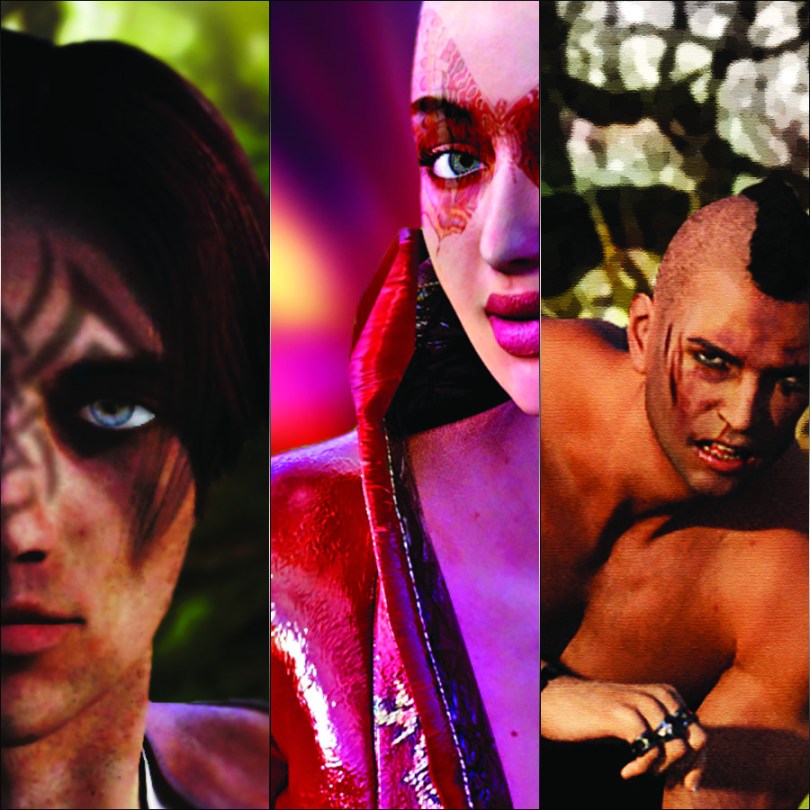
For the next one, I started out with a basic female form. Posed her and applied a few different accessories before rendering the image out.
Following that, I worked on the image in Photoshop, creating the background via various gradients and filters.
The colourful butterfly tattoo was also applied here. Having learnt a lot from my last attempt, this one was a little easier and I even managed to make it warp around her face too :)

At some point I hope to do another one but add some fairy wings.
Very impressed with this one as the detail in the render is amazing and I really like the composition.
Not sure though if this a flyer for a nightclub or a date with an alien…
Right, one more for you.
To see the next image that I created, please use the numbered page links below.
 GENTLEMAN CRAFTER
Hi John
I love Daz3D, great for a “switch off and dabble”. Have also used it to produce 3D croquis as close to my size/ shape as possible for sketching clothing pattern ideas on to, gives me a clue to see if an item of clothing would suit my shape before I go to the time and effort of sewing it up. Also great if you’re learning to draw the human figure and aren’t lucky enough to have a model. seeing the model posed on a screen in 3d and sketching what you see has helped me a lot with my drawing.
Had to uninstall it recently as my hard drive is suffering a bit and needs an upgrade. Soon as I’ve organised the installation of a SSD it’ll be back on there!
Hope everyone is doing ok,
T x
LikeLiked by 1 person
Cool – then you can teach me! :)
LikeLike
You are very talented John, love them all they look amazing xx Hazel
LikeLiked by 1 person