
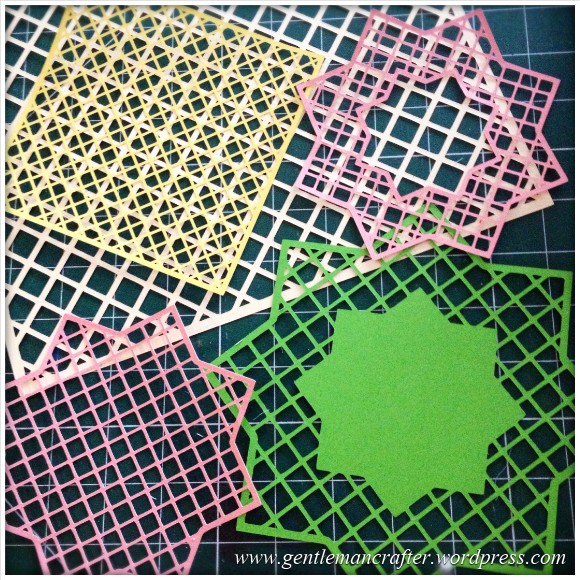
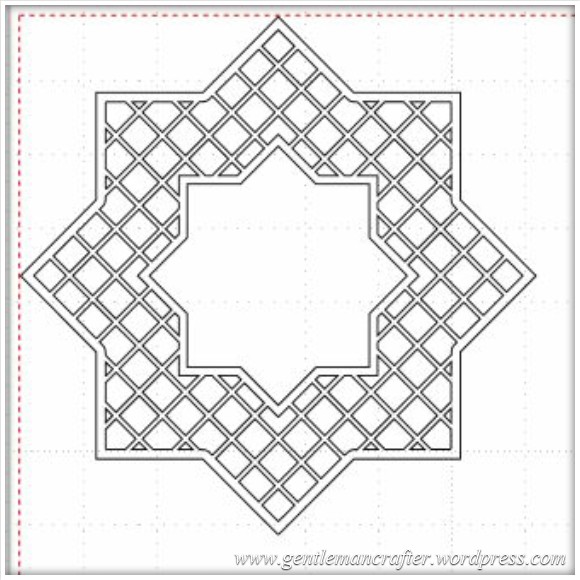
Just a quick post here to share some of the lattice cutting files, for the Brother Scan N Cut machine, that I showed on Create and Craft TV this morning.Here is a quick pic of them.
The Files
In order to download simply RIGHT CLICK the link (underlined text) or the image and choose SAVE LINK AS… and then choose where you want to save it.
To cut with your Brother Scan N Cut – transfer the file to your machine via a USB stick and use as a normal cutting file.
File 1 – 7 Inch Square Lattice
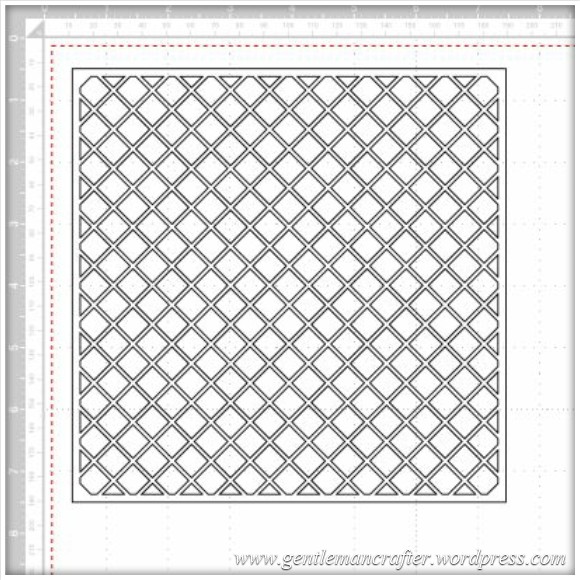
File 2 – Star Lattice Cutting File 1
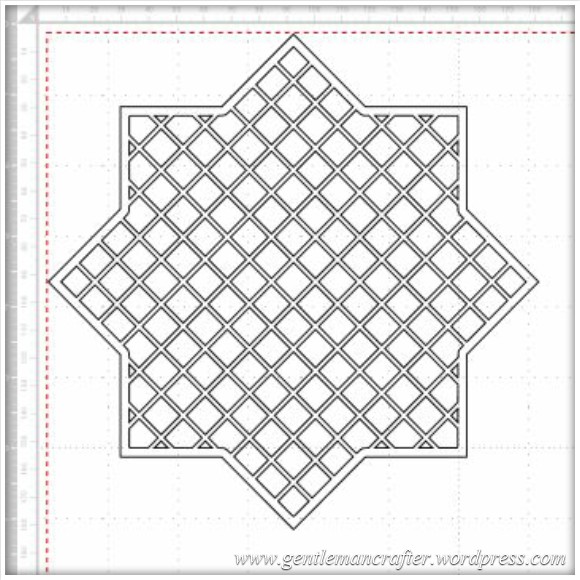
File 3 – Star Lattice Cutting File 2
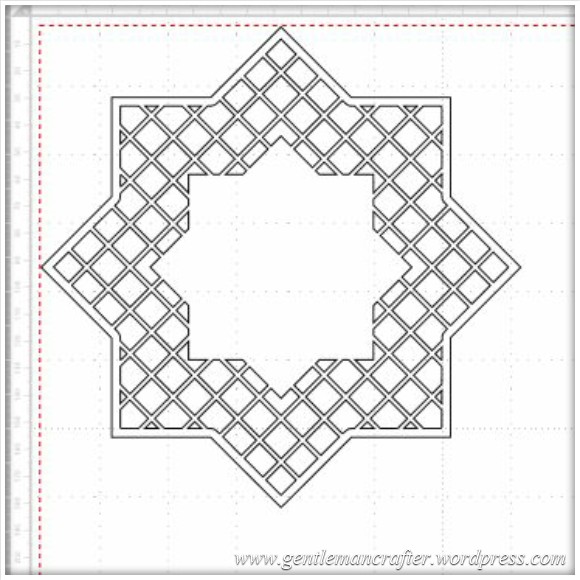
File 4 – Star Lattice Cutting File 3
Feel free to make and sell finished projects with these designs. Please don’t sell or share the file – please just link back to this blog post so that other’s can download for themselves :)
Would love to see what you make if you use them.
Many thanks!
J :)
 GENTLEMAN CRAFTER
Hi John, Just received my scan N cut machine and am having a play but, I have been watching you and mel on most of the shows and have looked at mels cutting guide for the depth of the blades etc., I have put my blade depth on 5 and pressure on 4 and it still is not cutting through the paper I have, It is a centura pearl paper around 180gsm. What am I doing wrong? Please help.
Frustrated Mary x
LikeLike
Hi Mary, I can’t see any reason to have the pressure on four – I haven’t even needed to put it on that for thick cardstock. Have you checked the blade to make sure that it correctly set up? It sounds like that there is nothing sticking out of the holder.
One thought would be to completely screw the blade holder so that there is no gap between the top and bottom and then choose your blade depth – if you over loosen it, there will be no blade tip sticking out.
Once you have done this, perhaps drag it across a piece of card and see if it cuts through the card.
You might also like to contact Mel via her blog – Paper Dreams – for more advice.
J :)
LikeLike
hi john. can you help me please. i received my scan n cut a few days ago and finally got my usb stick. im downloading files to my computer but i cannot open them. do i have to have a special programme to open them? and how do i convert them to put on usb stick and onto my scan n cut. thank you lucy
LikeLike
I think that you might find this previous blog post useful Lucy – https://gentlemancrafter.wordpress.com/2014/05/10/scan-it-saturday-converting-and-cutting-svg-files-with-the-brother-scan-n-cut/
J :)
LikeLike
Hi there,
I have received by machine today (hooray) and wanted to try your lattice designs. I can even get my head around the SVG converting thingy yet.
Trouble is when I right click the design, no option of Save Link to comes up.. so I am stumped as to how else can I save them to use on my lovely new machine. Can you help pretty please?
LikeLike
I don’t know why you would not have a save as link. Have you tried your computers help files?
LikeLike
Thank you John I save them them but as yet still trying to pluck up the courage to use my scan n cut having had it for over a year and still on crafting table covered up
LikeLike
Regarding my above post to you John can you let me have Mels email helpline to see if she can help or advise me re my Scan N Cut idle machine many thanks
Jean confused
LikeLike
Hi jean. There is a link to Mel’s blog top right of this post (or below if viewing on a mobile).
LikeLike
Hi John lovelycutting files I have at last started to try and use my Scan n Cut mschine after having it over a year, when following the quick instructions for cut pressure says -1 for paper but wont go below 1 I followed the specified numbers but when doing the test cut it leaves the design marking on the mat it hasnt cut thru but am worried it may have you any suggestions??
Thank you
jean
LikeLike
Bear in mind that all paper/card manufacturers are slightly different. Its impossible to give exact settings for all brands. The recommended settings are therefore only a serving suggestion. You’ll probably need to do a test cut or two to find the right balance for what you are working with.
LikeLike
Thank you John gor your wuick reply, now I have st last started after nearly teo years I am determined to try and get to grips with this machine learning doesn,t come so easy when nearly 80 lol, many thanks. Jesn confused
Sent from Samsung tablet
LikeLike
this is wonderful, thank you for sharing. I was wondering if the machine could be used to cut light weight template plastic. Has anyone tried that?
LikeLike
Yes, it can. There is a downloadable list of things that I have tried in the links on the right.
LikeLike
Hi John
What do you do if you receive and error s15 when trying to convert SVG files on Brother Canvas software?
Many thanks
Selena
LikeLike
I believe that that code relates to the SVG exceeding the maximum conversion limits. You might like to read this post Scan It Saturday – Converting Different File Types In Brother Scan N Cut Canvas « Gentleman Crafter
https://gentlemancrafter.wordpress.com/2014/05/10/scan-it-saturday-converting-and-cutting-svg-files-with-the-brother-scan-n-cut/ that I wrote about converting different file types.
LikeLike
Hi John. Is it possible for you to make a List of the different Functions ie:- Unify, Weld etc. As you have made a List for the different Speed and Pressures to be used with various Materials. This would be really useful, especially for New Owners. Regards Edna
LikeLike
Not really sure what I can add that isn’t in the instruction manual Edna. What is it that you were hoping to understand?
J :)
LikeLike
Hi John. It would just be handy to have them on one or two sheets of Paper instead of always having to look through the Instructional Manual. Regards Edna
LikeLike
Do you mean like a how to cheat sheet sort of thing?
LikeLike
Hi John. “Yes” it would just make it easier. Regards Edna
LikeLike
Hi John. I see the ScanNCut is being advertised on Create and Craft once again. Can you please tell me where I can Purchase or obtain the Instruction DVD that is now included in the Bundle. Regards Edna
LikeLike
Sorry Edna, I am not sure what you are referring to. I have not been involved with this show so not sure what is being offered. I would strongly suggest that you email the studio during one of the live shows and they might be able to advise better.
J :)
LikeLike
Hello again. I’ve just spoken to Mel. The DVD that she was referring to was the one that contains the instruction book that has always come with the machine.
LikeLike
Thankyou John for clearing that matter up for me. Regards Edna
LikeLike
You’re welcome :)
LikeLike
Hiya John, I don’t know if you can help me or not. I have my scan n cut a few months now, only recently its starting to rip the paper in places when I’m trying to cut items such as doilies. Now I’ve noticed its starting to do the same with scalloped edged items. Am I doing something wrong? I have tried various blade depth, pressure and speed but to no avail!
LikeLike
It is possible that they blade has now become blunt or chipped. It might be time to get a replacement blade. This of course depends on how much and what you have been cutting, but it seems most likely if you’ve had your machine a few months.
LikeLike
Thank you for your beautiful card ideas. I have one question. What type of adhesive to you use to glue small objects such as the lattice frames to your cards?
LikeLike
I just use a regular PVA, but use it in a fine tipped applicator.
LikeLike
john what software would i need to make my own snc files please
LikeLike
The Machine creates the relevant files or you can use the Brother Scan N Cut Canvas.
LikeLike
Hi John
Can these files be used within Silhouette as I only have a craft robo as I can’t afford a scan & cut
Thanks
Clare
LikeLike
The files are formatted for the Scan N Cut only I’m afraid.
LikeLike
Thankyou so much for sharing these files. I love my SNC and don’t know how I managed without it before.
LikeLike
Many thanks for the inspiration, just a thought can you score your card onthe scan and cut for cardscor boxes?
LikeLike
Not at present Paul. You might be able to create a second file to draw the design, then cut. I’m working on ways to do this.
LikeLike
Hi John. I was wondering if the cutting files from a craft cd could be put onto a USB and used in the Scanncut. I haven’t tried it because I wanted some expert advice first.
I hope you can help me. Cx
LikeLike
What file type are they?
LikeLike
I think that they are SVG files. If it doesn’t work in the Scanncut do you think it will work on my ecraft robo.
LikeLike
I don’t know about the Robo but you can convert SVG files in scan n cut canvas software online to work with brother.
LikeLike
I don’t know much about the scan n cut canvas. I will have to read the manual again. I got my scan n cut on launch day and have only done simple cards on it. will have to do more with it to get my monies worth.Cx
LikeLike
Thank you very much John for the free files..
Margaret
LikeLike
Hi John, I’m loving my scan n cut, haven’t yet updated mine I’m ashamed to say and still need to get a USB, my question is about the spray adhesive you use, is it the red or purple can? I’d hate to ruin my machine using the wrong one! Many thanks, Julie.
LikeLike
It’s the temporary one called stick n spray (purple can?) Not stick n stay.
LikeLike
Thank you so much, I hope that Create and Craft and Brother realise just how lucky they are to have you and Mel in their team! It’s funny, I’ve had the cans on my shelf for ages but never realised one said “Stay ” and one said “Spray”! Thanks again, Julie
LikeLike
Hi John. This isn’t actually about the lattice work but we’ve just scanned in a template to make Easter chickens and they’ve come out slightly smaller than the original. Can you tell me what we are doing wrong please?
LikeLike
The machine generally scans at actual size. How much smaller is it?
LikeLike
About 2mm. Also when I tried moving it to put more on one page, it wasn’t scanning as a whole but as several sections making me, unfortunately waste card.
LikeLike
Not sure re the size thing. Will need to experiment. Scanning as individual shapes is normal. When you load it you will need to ‘unify’ (group) the shapes so that they resize/move as one.
LikeLike
Thank you for your help. Will try again to see what happens. We used a Cathie Shuttleworth template and thought it would be more accurate doing it this way. Everything else we’ve done in card has been ok. Still trying to master cutting out in felt
LikeLike
Hi John – really want to download the patterns so I can use them on my SNC – I right click on text and press save target as – but it will not open as it ‘does not know the program I want to use – I am doing something wrong obviously – but don’t know what – can you help please
LikeLike
You should just get the option to save if you are doing what you say. The files won’t be recognised on your PC as they are just for the machine. Whichever way you do it the goal is to save to a USB stick. Is there an option to ignore the pop up box that you get?
LikeLike
oh grief John – I put my USB stick in the laptop – right clicked – save picture as – and weyhey I have them on my stick ready to use on SNC. Thank you soo much from a very happy silver surfer x
LikeLike
You’re welcome :)
Glad you’re sorted.
LikeLike
Thank you, John, for sharing these files. x
LikeLike
Thanks John. You’re brill. I bought Tonic dies especially for the trellis effect. No more thanks to you and the Scan N Cut
LikeLike
can you please explain how do you get downloads to upgrade Scan/N/Cut?? thanking you Audrey Howard
LikeLike
There are full instructions when you go to download the update. There is a link to this download area on the right (or bottom if viewing on a phone).
LikeLike
Finally gave in and bought the SnC Can’t wait for it to arrive!! Thanks John and Mel for all the great demo’s, all your great tips & these cutting files to get me started too. I’m hooked now. Must now clear my craft room/junk room to make a space for SnC
LikeLike
Look forward to seeing your creations Janet :)
LikeLike
Many, many thanks for all your hard work. These designs are fantastic and it’s really great of you to share them everyone. You’re an inspiration! It is thanks to you and Mel that I am now the proud owner of a Scan n Cut machine. With you two it’s like having expert pals to help with all our problems. :)
LikeLike
Thank you for the compliment Liz :)
LikeLike
Thanks so much this lattice is gorgeous!!!
LikeLike