
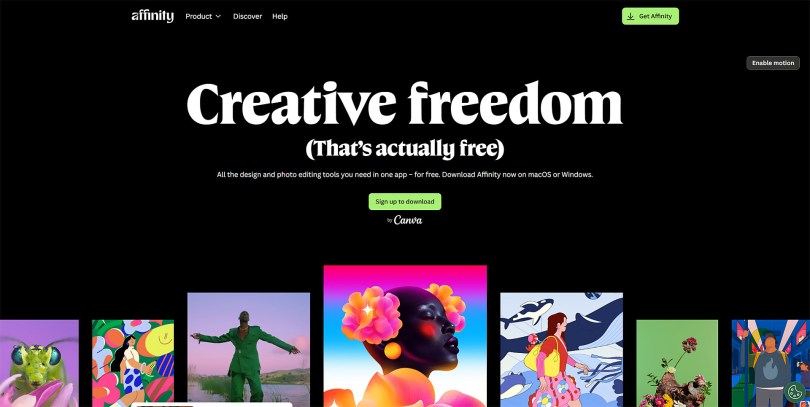
The other day I wrote a blog post about the buzz surrounding changes at Affinity. Well, the wait is over. What was all the excitement about? A lot if you are part of the marketing team at Affinity.
Affinity now has a new logo, oh, and they have decided to give the software away for free. Well, mostly free, for everyone, forever. Not entirely sure why but, there you have it.
Anyway, in the spirit of “full-circle” and closing off the question that I asked the other day, let’s have a quick look.
As you may have read from my last post on this, Affinity is now “powered by” Canva. If you didn’t Canva purchased Serif/Affinity a while back. That should save you reading that last post.
Who Are Canva?
Canva is an Australian multinational proprietary software company launched in 2013 that provides a graphic design platform to create visual content for presentations, websites, and similar products.
For those that are easily confused Canva is NOT Canvas Workspace. Totally different.
What Does This Mean?
Well, this means that you no longer have to pay for Affinity – a bit annoying for anyone that did before October – AND you won’t be able to sign in with your old Affinity account but will instead will be forced to sign up for a free Canva account. If you’ve pottered around the internet for long enough, you’ve probably already got one. Apparently I did. *shrugs
Has Much Changed With Affinity?
For me, not really.
As before, Affinity still has three “personas” but, they are now called “studios” – just to confuse things 0 and instead of having to download three separate apps, it is all included in one single app, which was apparently the intention all along.
So, I wonder why they (Serif) didn’t? I mean why sell one app, when you could sell three, right?
Anyway, Canva/Affinity say that there are a lot of “under-the-hood” improvements, which there may well be but it certainly looks and acts a lot like the old Affinity, which isn’t a bad thing if you are used to using it already. Probably not noticeable if you haven’t.
What Are These Affinity “personas/studios”?
Studio/Persona is basically a short word for how the tools in the software are laid out on screen. So, for example, if you were designing a cutting file, you likely wouldn’t want the screen cluttered with irrelevant stuff; this gets cleared away and you are left with only the tools that matter.
You can switch between these at any time or create your own.
The three main Personas/Studios that are already set up when you install the software are:
- Pixel (photo editing) – formerly Affinity Photo – for editing photos and creating printable images.
- Vector (graphic design) – formerly Affinity Designer – for creating vector images, a.k.a. SVG cut files.
- Layout (page layout) – formerly Affinity Publisher – for creating leaflets, presentations and documents etc.
But will this new app work on your device? Let’s take a look at device compatibility.
Can I Use Affinity On My Windows Computer?
Yes.
Can I Use Affinity On My Mac Computer?
Yes.
Can I Use Affinity On My iPad?
Not yet. iPad users WILL be disappointed as the “new” all-in-one Affinity app has not yet been released for the Apple device yet, even though Serif had one for it before.
It is coming though, so that’s good.
Anyway, Is Affinity really free?
Yes. Well, mostly. The main app and the vast majority of tools therein are completely free to use.
The only time money will ever be discussed is if you want to use any of the Artificial Intelligence features (which are powered by Canvas) in which case you will need a paid subscription via Canva.
Was The New Affinity Worth The Wait?
Honestly, not really.
I actually had high hopes given the history of Serif but this smacks of marketing, data capturing and not software development.
Will I use it? Probably. I like to keep up to date on software that can be used for creativity and the Brother Scan N Cut so I will have a play around.
Ok, that’s it for this post. I hope that you have enjoyed your time here today and will subscribe to my email newsletter so that you can hear about future posts.
If have not already done so, please feel free to pop your email address in the box below and I will add you to the list (you can unsubscribe at anytime in the future if I bore you with too many).
In the meantime, thanks for stopping by and I look forward to seeing you next time!
Much love,
John.
 GENTLEMAN CRAFTER